
What Is the XHMaster Formula Indicator for MT4?
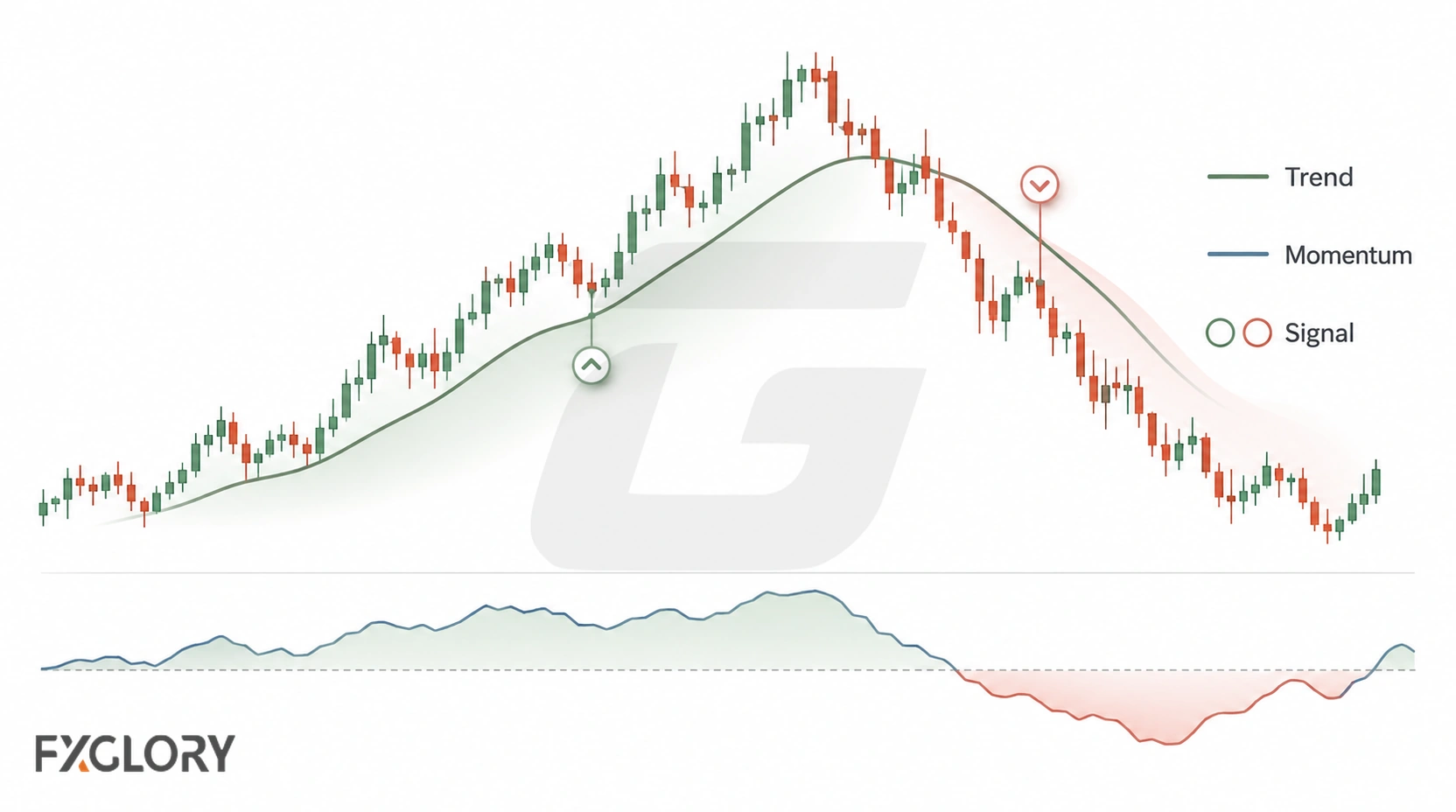
The XHMaster Formula indicator is a third-party custom technical indicator used to display simplified chart signals such as arrows, color changes, lines, or signal zones. It is not a standard indicator built into MetaTrader 4, and the exact calculation can differ between files and publishers.
FXGlory does not provide or host an XHMaster or XMaster indicator file. If you choose to use a third-party version, verify where it came from, whether it is compatible with your platform, what permissions it requires, and how its signals behave before using it with real funds.
For broader context, see forex technical indicators and how different indicator types are used.
XMaster vs XHMaster: Why the Version Matters
The name XMaster Formula also appears on related third-party indicators and scripts. Similar naming does not prove that two files use identical code, settings, thresholds, alerts, or signal timing.
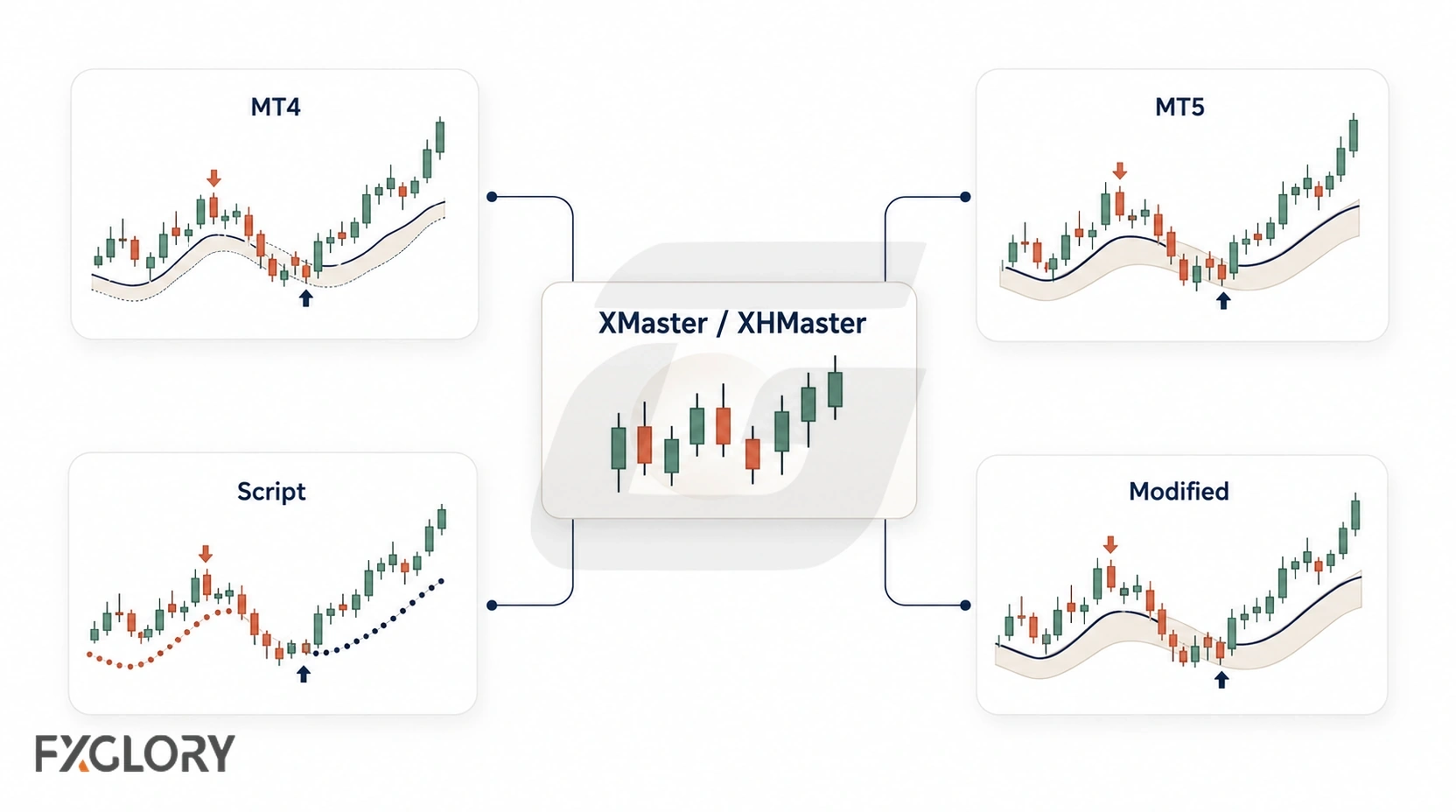
- Check the file: Confirm whether the version was made for MT4, MT5, TradingView, or another environment.
- Check the publisher: Two tools with similar names can come from different developers.
- Check the settings: Sensitivity, smoothing, thresholds, and alert timing can change results.
- Check the signal timing: Current-candle and closed-candle signals should not be treated as equivalent.
How the XHMaster Formula Indicator Works
There is no single calculation that can safely be assumed for every version. Some third-party implementations combine trend and momentum inputs and then convert those conditions into visual signals.
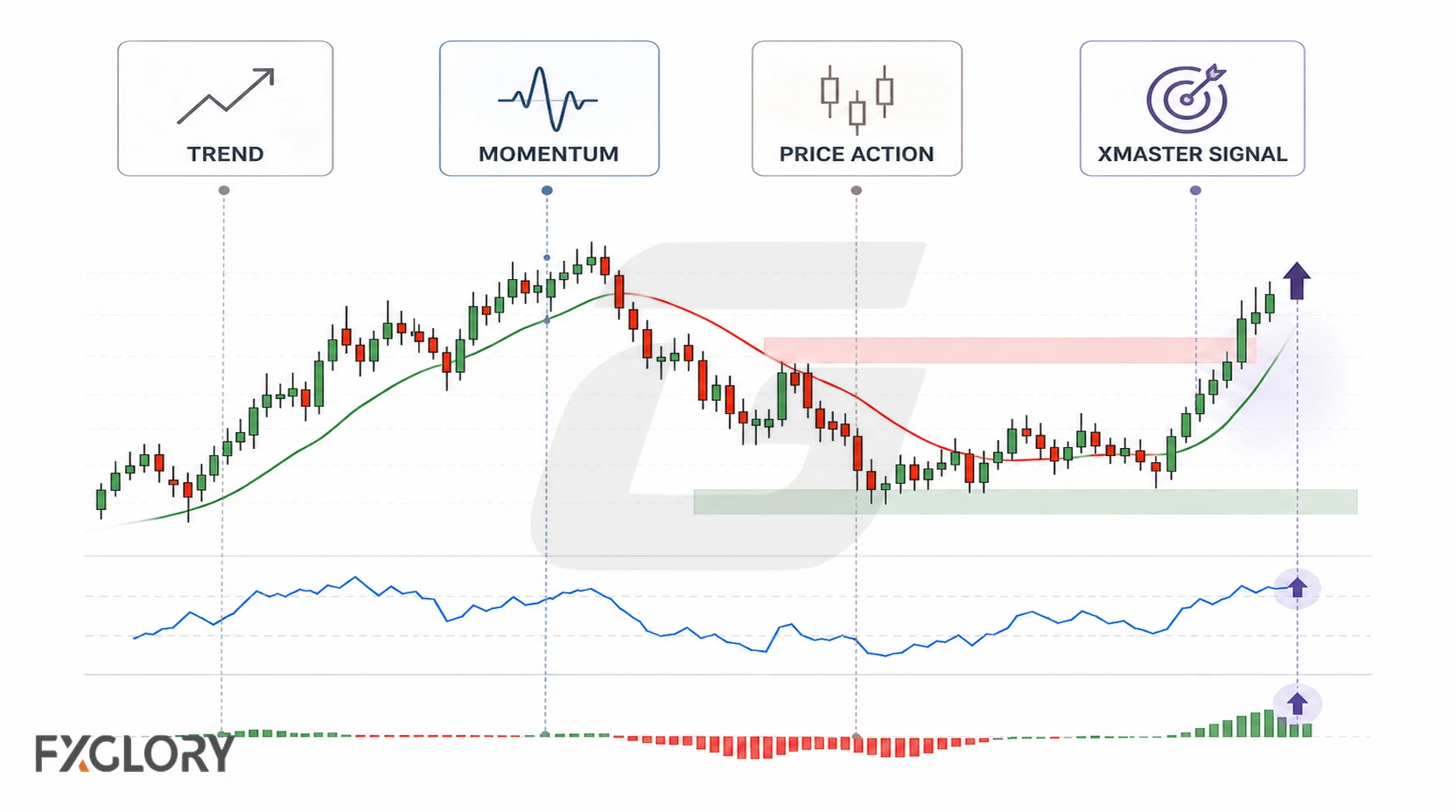
One documented third-party TradingView implementation describes EMA, MACD, RSI, stochastic, and Parabolic SAR-style inputs. This describes that particular script, not the calculation of an independently sourced MT4 or MT5 file.
When the calculation is not transparent, judge the version by observable behavior and documented settings rather than assuming what is inside the formula.
If a version uses trend or momentum logic, you can compare its output with familiar tools such as moving averages, RSI, or MACD to understand whether the signal agrees with the wider chart context.
What the Arrows and Color Changes Mean
XHMaster-style indicators commonly use visual changes to mark conditions the specific version interprets as bullish or bearish. The exact meaning depends on the file and its settings.
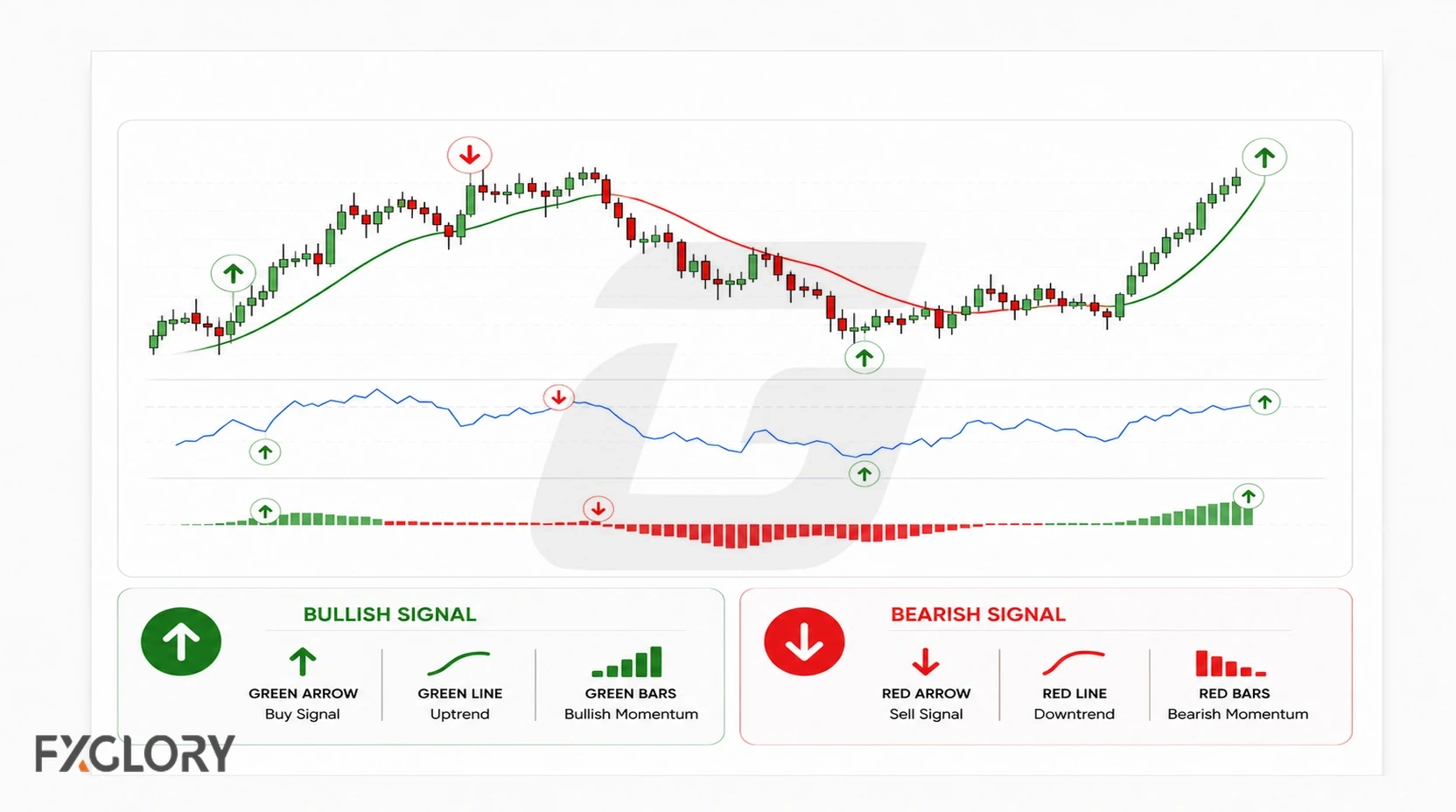
If a version updates signals while the current candle is still forming, waiting for candle close can make it easier to distinguish an unfinished signal from a confirmed one.
- Bullish arrow: May mark conditions classified as bullish by that version.
- Bearish arrow: May mark conditions classified as bearish by that version.
- Color change: May represent a change in trend or momentum conditions.
- Signal zone: May highlight an area for further chart review rather than a precise entry price.
Does the XHMaster Formula Indicator Repaint?
Repainting has to be tested on the exact version. The important distinction is between a signal changing while the current candle is still open and a signal that was confirmed after candle close changing later.
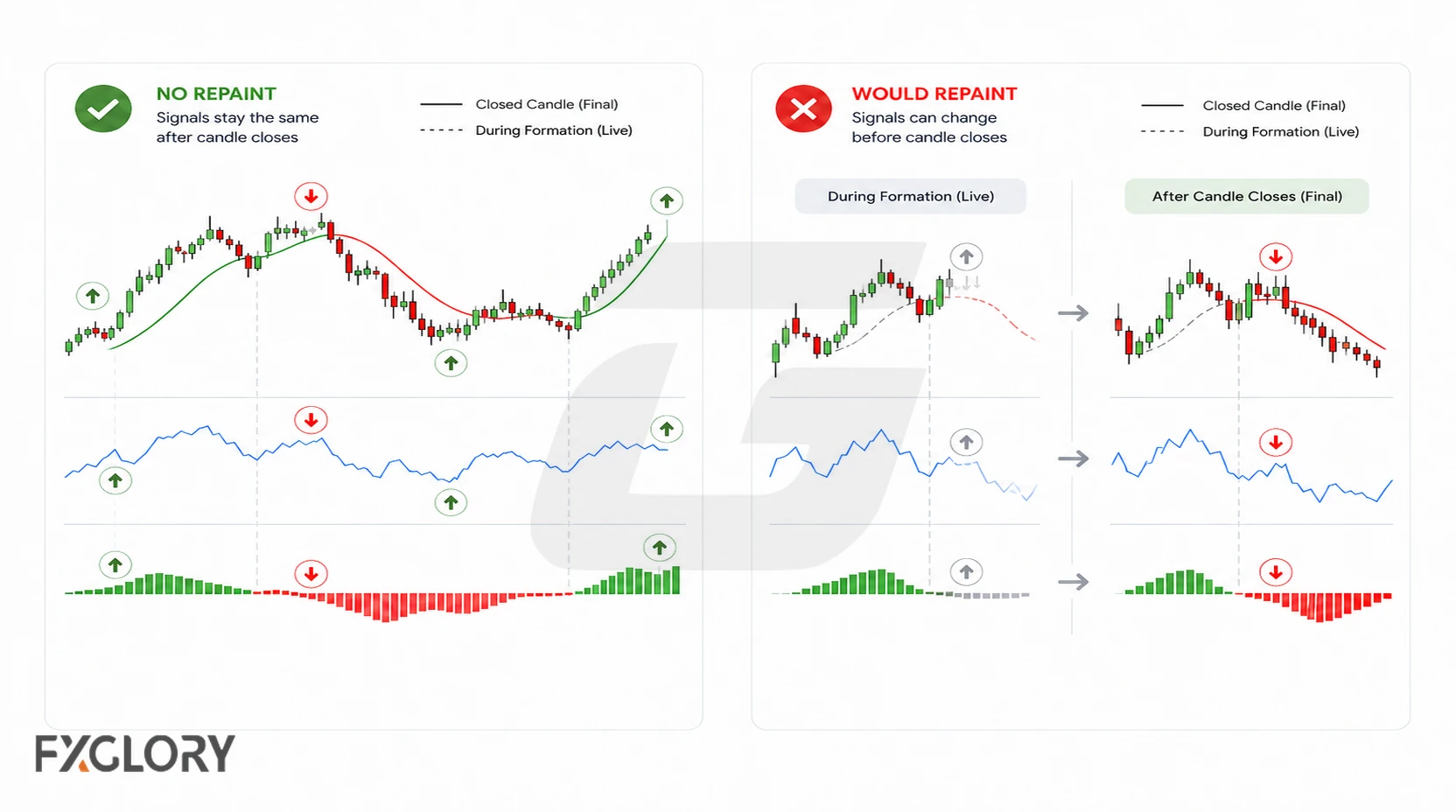
To test a no-repaint claim, record what the indicator shows when a candle closes and check whether that historical signal later moves, disappears, or changes direction. Repeat the test over enough live or replayed observations to understand the specific version.
For the broader concept, review how to test non-repainting forex indicators.
XHMaster Formula Indicator: MT4 Setup, MT5, and TradingView
Third-party versions may be built for MT4, MT5, TradingView, or other platforms. Platform compatibility matters because an MT4 file cannot simply be assumed to work in MT5 or match a TradingView script.
- MT4: Custom indicators typically use MT4-compatible files such as .ex4 or .mq4.
- MT5: A separate MT5-compatible version is generally required.
- TradingView: Scripts use Pine Script and may document logic or features that are not present in MetaTrader versions.
- Third-party source: FXGlory does not supply the XHMaster or XMaster file; source verification is the trader's responsibility.
Adding a Third-Party XHMaster File to MT4: Step Overview
- Verify the source first: Obtain an MT4-compatible .ex4 or .mq4 file from an independent source you trust.
- Open the MT4 data folder: In MT4, select File, then Open Data Folder, and open MQL4 > Indicators.
- Copy the file: Place the indicator file in the Indicators folder.
- Refresh or restart MT4: The indicator should then be available in the Navigator panel if the file is compatible.
- Add it to a chart: Review the available inputs before accepting the settings.
- Test before live use: Observe closed-candle behavior, alerts, and signal timing on a demo chart.
If it does not appear or load: Confirm the file is compatible with MT4 and is in the correct MQL4 > Indicators folder, refresh Navigator or restart MT4, and check the Experts and Journal tabs for loading errors. A file made only for MT5 or TradingView will not run as an MT4 indicator.
For general MetaTrader steps, see how to add indicators to MT4 charts. These are platform instructions, not a download or endorsement of a specific third-party indicator.
Settings, Modes, and Version Differences
Custom-indicator settings can vary substantially. Depending on the version, inputs may include sensitivity, smoothing, thresholds, alert timing, display options, or multi-timeframe behavior.
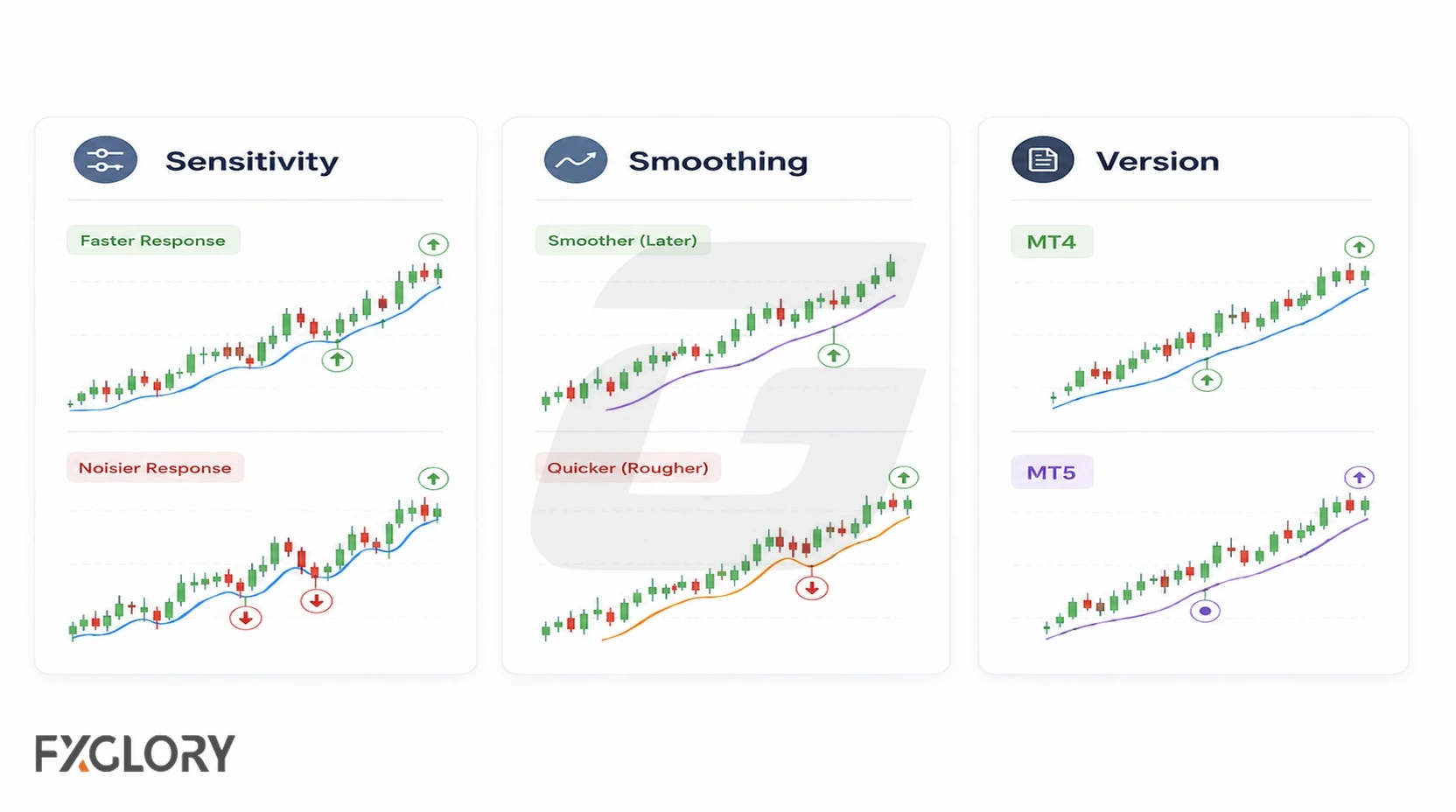
- Sensitivity: A more reactive setting can increase signal frequency and noise.
- Smoothing: More smoothing can reduce short-term fluctuation while adding lag.
- Thresholds: Different trigger levels can change when a signal appears.
- Alert timing: An alert during the current candle can behave differently from one generated after candle close.
- Multi-timeframe inputs: Higher-timeframe values can continue updating until that higher-timeframe candle closes.
How to Evaluate XHMaster Signals in a Trading Strategy
An indicator signal is not the same as a trading strategy. A strategy needs rules for market context, entries, invalidation, exits, position sizing, risk limits, and conditions in which no trade should be taken.
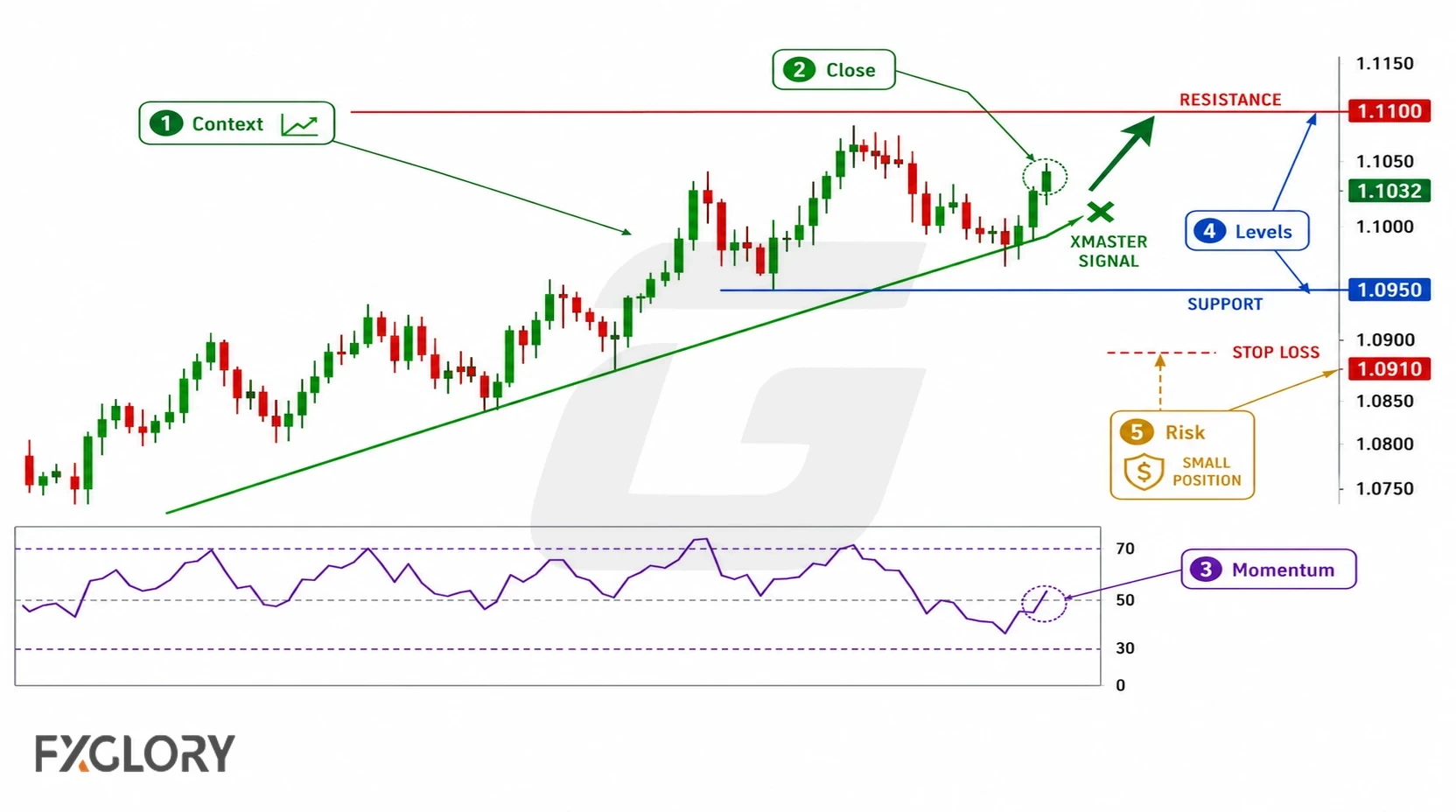
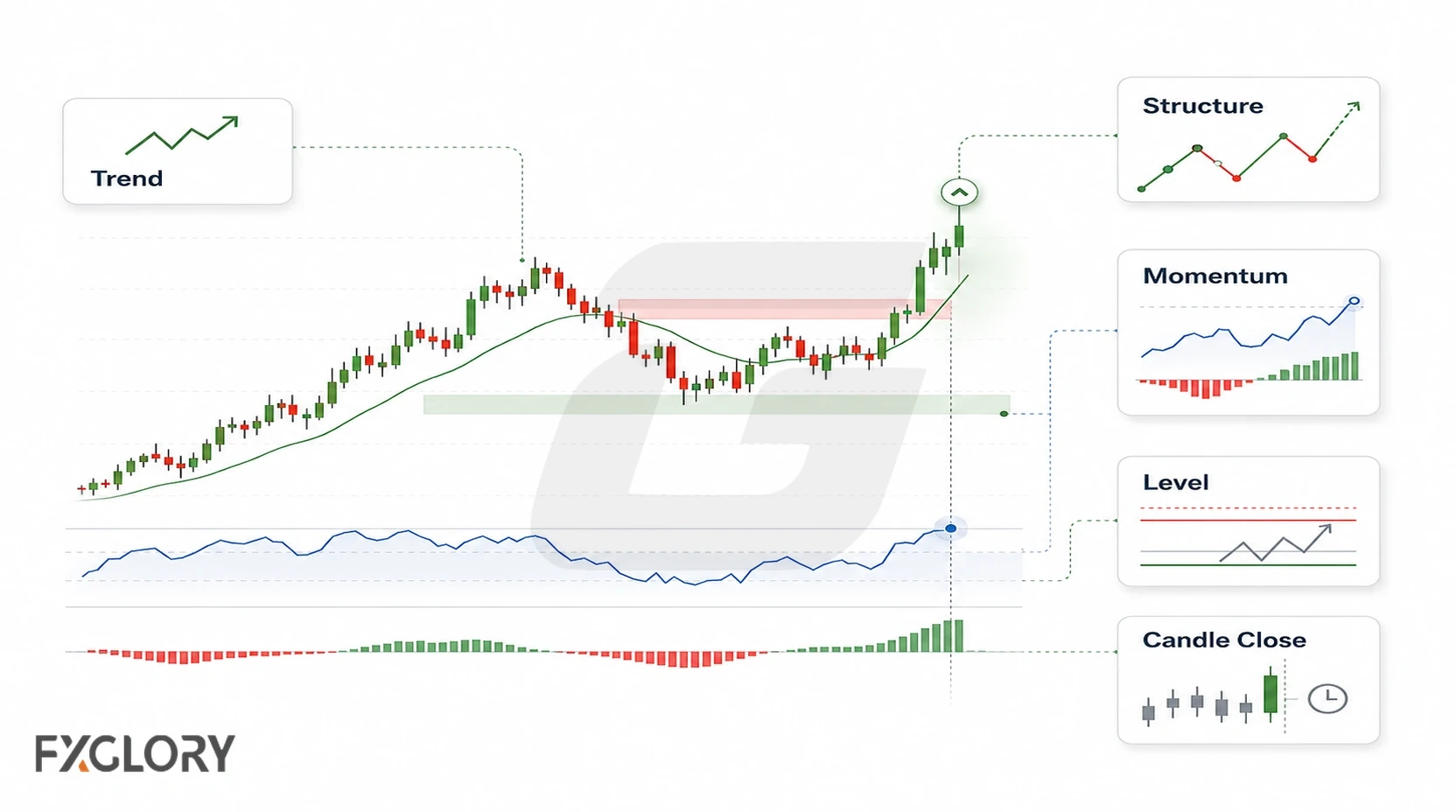
One practical way to evaluate a signal tool is to start with the chart context and use the indicator only as one input. In a range, repeated arrows may have little follow-through. In a trend, same-direction signals may be easier to interpret, but they still need defined invalidation and risk.
- Choose a version and record its settings: Define exactly which file and configuration you are evaluating.
- Define the setup: For example, examine a bullish arrow only after its candle closes and only when price structure suggests an uptrend. This is an illustrative rule, not a validated XHMaster strategy.
- Check price location and conditions: Consider nearby support or resistance, momentum, volatility, and whether the market is ranging. Use confirmation tools only when they add independent information.
- Specify invalidation and exits: Define the stop, profit-taking or exit condition, and whether later opposite arrows change the plan.
- Size and record the trade: Set position risk from the planned stop and account limits. Record spreads, execution costs, skipped signals, and outcomes.
- Evaluate a series of observations: Compare historical signals with forward or replay observations rather than judging the approach from attractive chart examples.
For a fuller explanation of entries, exits, testing, and risk rules, see indicator-based trading strategy principles.
Common XHMaster Indicator Mistakes and Risks
The main risk is treating a simplified visual output as if it contains a complete decision process. Custom indicators can make a chart easier to scan while still hiding important assumptions about calculation, timing, and market conditions.
- Assuming the formula is known: If the exact code or methodology is unavailable, avoid presenting guesses as facts.
- Accepting fixed accuracy claims: Performance depends on the exact rules, market, timeframe, costs, and test method.
- Ignoring ranges: Directional signal tools can generate repeated reversals in choppy conditions.
When XHMaster Is Less Useful
A custom signal indicator may be less useful when market conditions are choppy, liquidity is thin, high-impact news is driving abrupt price changes, the version source is unclear, or you cannot explain how the signal fits your trading rules.
Final Thoughts on the XHMaster Formula Indicator
XHMaster is a third-party signal tool, not a standardized formula or a complete trading strategy. Record your exact version and settings, verify its source and MT4 compatibility, and test closed-candle signals before using them in rules with defined exits, position sizing, and risk limits. FXGlory does not provide the indicator file.