
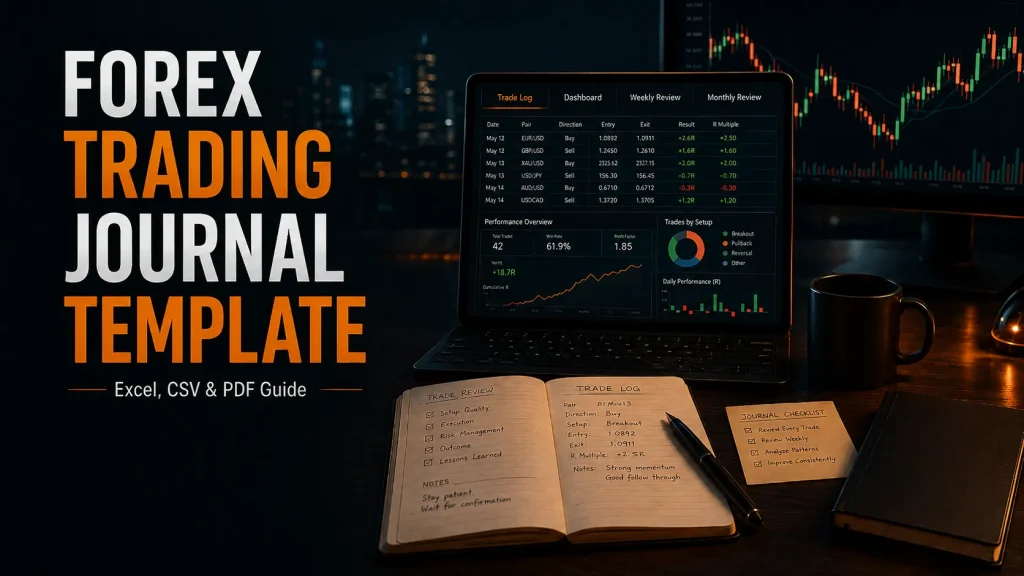
Download The Forex Trading Journal Template
Choose the file that matches how you want to journal: the Excel workbook for formulas and review sheets, the CSV starter for a simple trade log, or the PDF guide for instructions.
The workbook is designed for manual trade journaling: record the idea and planned risk before entry, then complete the execution, result, emotion, and review fields after exit. For the broader method behind this workflow, read how to use a forex trading journal as a review system.
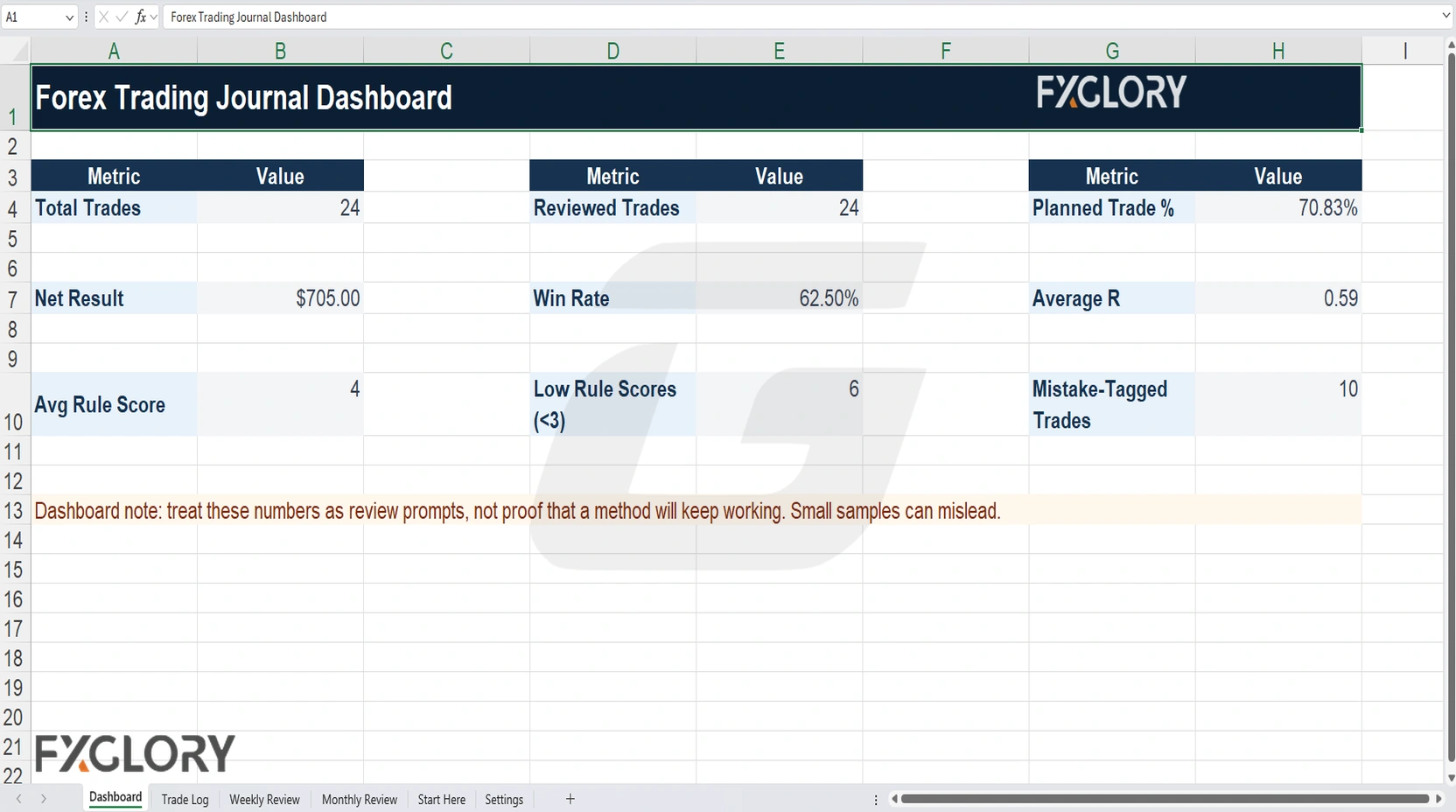
Template Preview
The preview below shows the workbook dashboard after journal data has been entered.
What Is Included?
| File | Best For | What It Includes | Important Detail |
|---|---|---|---|
| Excel workbook (.xlsx) | Traders who want formulas, dashboard summaries, dropdowns, and review sheets. | Start Here, Trade Log, Dashboard, Weekly Review, Monthly Review, and Settings. | Manual workbook; not macro-enabled and not connected to MT4, MT5, or a broker account. |
| CSV starter (.csv) | Traders who want a lightweight or import-friendly trade log. | The core trade-log columns and an educational sample row. | No workbook formulas, dashboard, dropdowns, formatting, or multiple sheets. |
| PDF guide (.pdf) | Traders who want instructions before or while using the journal. | Workbook workflow, column guidance, formula notes, an example row, review checklists, and file-safety reminders. | Printable reference guide. |
All three are free educational downloads. The Excel workbook is the main version; the CSV is better for simple manual tracking or importing the column structure elsewhere; the PDF explains how the files are intended to be used.
Excel Workbook Tabs Explained
The workbook separates trade entry from later review so the main log stays practical while weekly and monthly patterns can be reviewed separately.
| Sheet | Purpose | How To Use It |
|---|---|---|
| Start Here | Instructions, risk note, and basic workflow. | Read this before editing the Trade Log. |
| Trade Log | Main table for trade details, setup, risk, execution, emotion, screenshots, and lessons. | Complete planning fields before entry and outcome fields after exit. |
| Dashboard | Summary of logged trades, reviewed trades, planned trades, net result, win rate, average R, rule score, and mistake data. | Use it to identify questions and patterns that deserve closer review. |
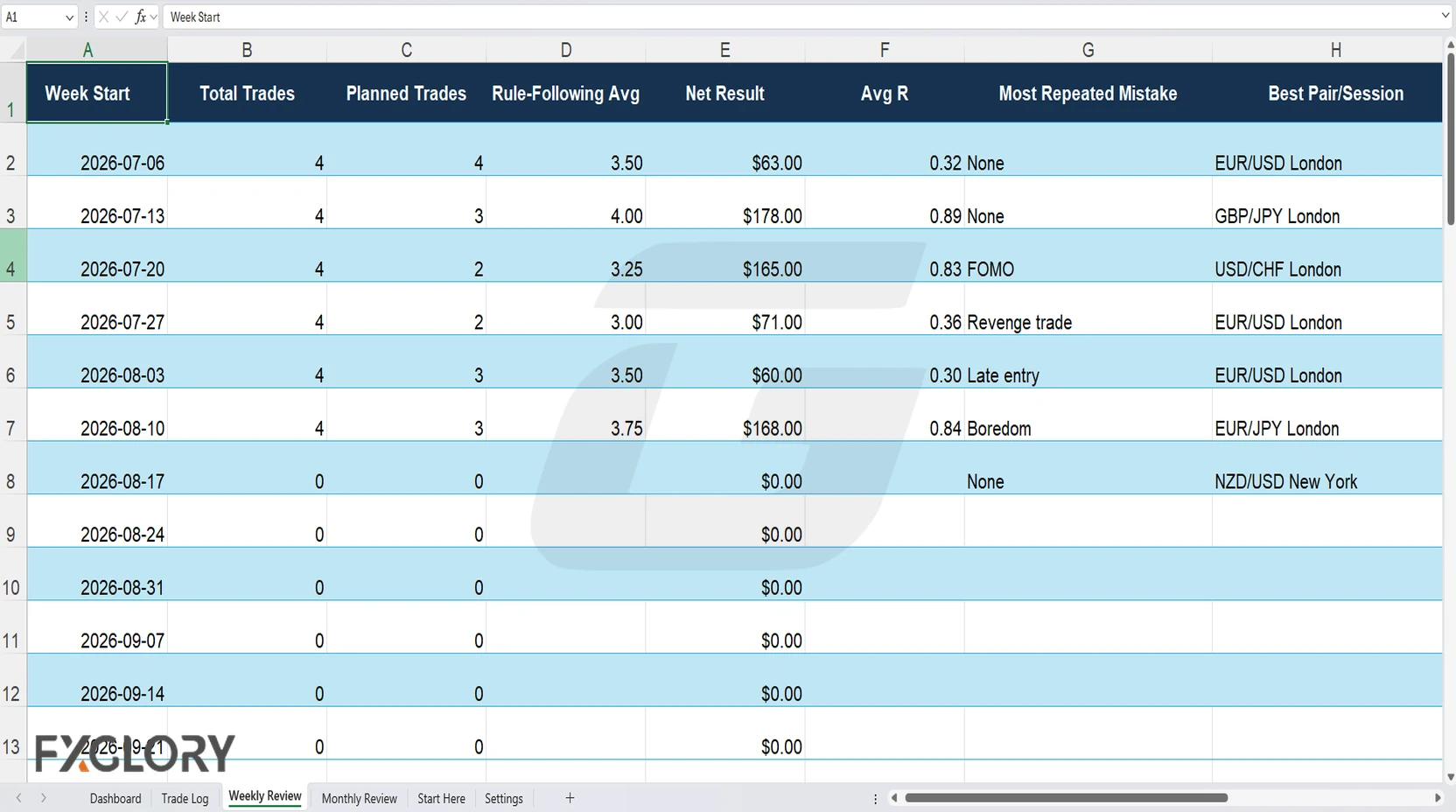
| Weekly Review | Week-by-week review of trade count, planning, rule-following, repeated mistakes, lessons, and the next rule to focus on. | Look for behavior that repeats across several trades. |
| Monthly Review | Broader review of trading-style fit, risk consistency, pair results, recurring patterns, and plan adjustments. | Use it for higher-level changes rather than reacting to one trade or day. |
| Settings | Dropdown values used inside the Trade Log. | Adjust carefully if you want different tags or categories. |
How To Use The Forex Trading Journal Spreadsheet
- Read the Start Here sheet: Review the workbook workflow and risk note before entering trades.
- Complete before-entry fields: Record the pair, direction, session, timeframe, setup, entry reason, invalidation, entry price, stop, target, lot size, planned risk, margin estimate, spread, and relevant news context.
- Complete after-exit fields: Add the exit price and reason, result, emotion after exit, mistake tag, rule-following score, screenshot link, lesson, and next action.
- Review the week: Look for repeated mistake tags, rule-breaking, risk inconsistency, emotional decisions, and pair or session patterns.
- Review the month: Look for broader patterns before deciding whether the plan needs a change.
If your trading rules are still being defined, use the journal alongside a written forex trading plan template.
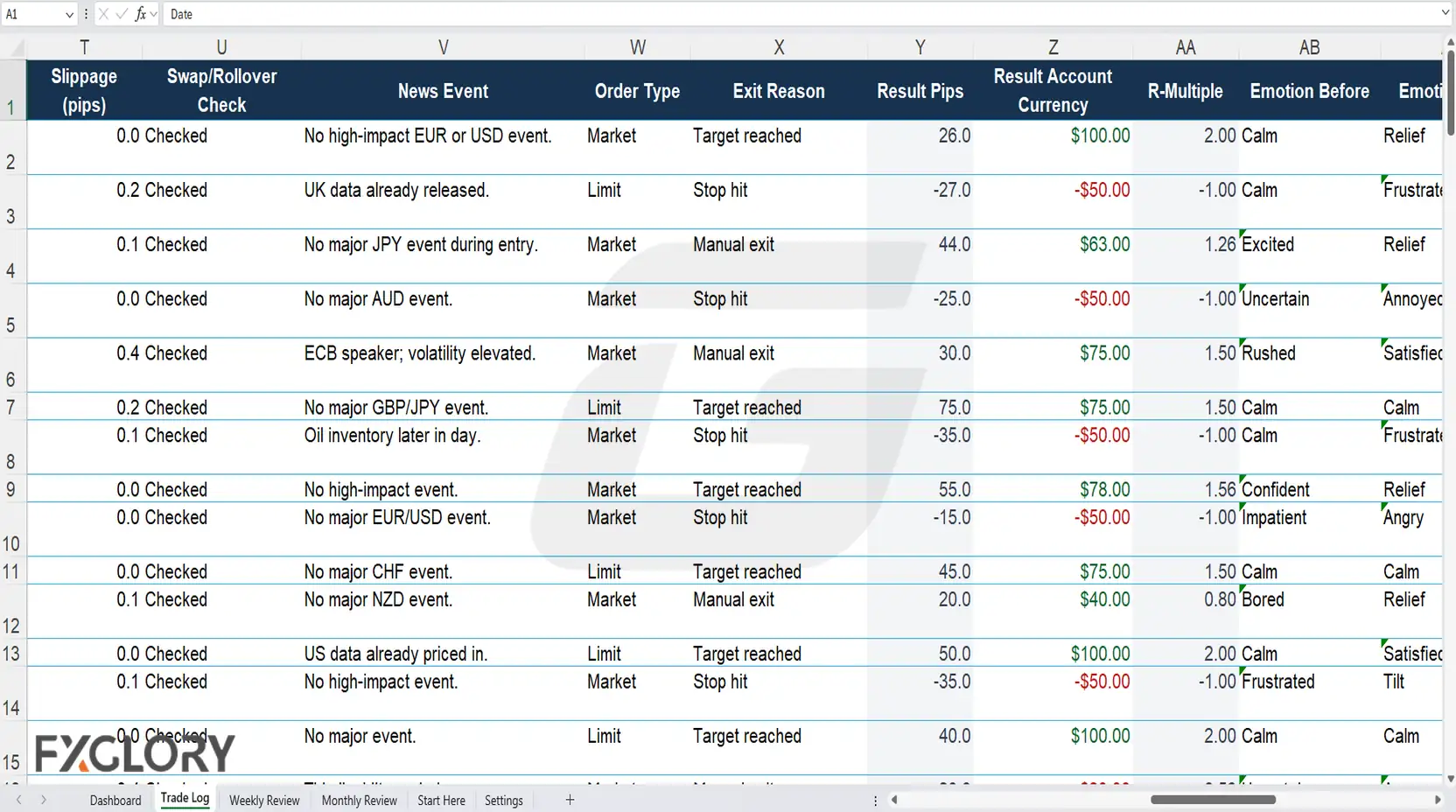
Trade Log Columns In The Template
The Trade Log records both objective trade details and the quality of the decision process.
| Column Group | Examples | Why It Matters |
|---|---|---|
| Basic trade details | Date, trade number, account type, pair, direction, session, timeframe. | Shows what was traded and under which conditions. |
| Setup and reason | Setup, entry reason, invalidation, target, order type. | Preserves the original plan before the result is known. |
| Risk and exposure | Lot size, planned risk percentage, planned risk amount, estimated margin, spread, expected slippage. | Shows how much exposure and planned loss were defined before entry. |
| Market context | Swap or rollover check, news event, session, timeframe. | Adds conditions that may affect execution or holding cost. |
| Result | Exit price, exit reason, result pips, result account currency, R-multiple. | Separates price movement, monetary result, and result relative to planned risk. |
| Psychology | Emotion before, emotion after, mistake tag, rule-following score. | Helps identify repeated behavioral patterns such as FOMO, revenge trading, hesitation, fear, overconfidence, boredom, or tilt. |
| Review | Screenshot link, lesson, next action, review status. | Turns the trade into a record that can be compared with later trades. |
For position-size context, review what lot size means in forex. For price-movement review, use pip calculation basics.
Formula Notes
The Excel workbook includes formula-driven fields intended to make review easier. Check them after structural edits or when using instruments whose pricing conventions differ from the common forex examples built into the workbook.
- Result pips: The workbook estimates pip movement from entry and exit. It uses a multiplier of 100 for many JPY-quoted pairs and 10,000 for many other forex pairs. Verify the convention for the instrument you are recording.
- R-multiple: R compares the trade result with the planned risk amount. If planned risk is $50 and the final result is -$50, the trade is -1R; a +$100 result against the same planned risk is +2R.
- Dashboard KPIs: Summary figures help compare journal entries, but a small sample can make win rate, average R, and other metrics unstable.
Example Filled Trade Row
The workbook includes an educational EUR/USD sample so users can see how planning and review fields fit together. It is an example of journal completion, not a trade recommendation.
| Field | Example |
|---|---|
| Pair and direction | EUR/USD buy |
| Session and timeframe | London session, 15-minute entry with 1-hour context |
| Setup | Breakout retest after prior resistance became support |
| Entry reason | Price retested the breakout level and rejected lower prices. |
| Invalidation | Close back below the retest level. |
| Planned risk | 0.5% of account equity |
| Result | +2R before platform-specific costs are reviewed |
| Emotion notes | Calm before entry; relief after exit; possible overconfidence to monitor before the next trade. |
| Lesson | Wait for a fresh setup instead of reacting to the previous win. |
The value of the row is the sequence: document the reason and risk first, then add the outcome and lesson after the trade has closed.
Weekly And Monthly Review Routine
Logging creates the record; scheduled review turns those entries into comparable observations.
| Review Timing | What To Check | What To Avoid |
|---|---|---|
| After each trade | Exit reason, result, emotion, mistake tag, screenshot, lesson, and next action. | Rewriting the original entry reason after seeing the result. |
| Weekly | Rule-following, repeated mistakes, risk consistency, pair or session patterns, and emotional spillover. | Changing the strategy because of one unusual trade or day. |
| Monthly | Trading-style fit, recurring risk issues, pair results, cost pressure, and whether a plan adjustment is supported by enough observations. | Drawing strong conclusions from a very small sample. |
To connect journal notes with emotional behavior, use the forex trading psychology guide. To review risk behavior, use the forex risk management strategy guide.
Privacy And File Safety
A trading journal may contain trade history, screenshots, account notes, broker details, emotional notes, or performance data. Decide what needs to be stored before uploading or sharing the file.
- Do not store account passwords: The journal does not need trading-account credentials.
- Review screenshots: Images can reveal account numbers, balances, open positions, or private notes.
- Check third-party imports: Understand what data an external journal or spreadsheet service receives before uploading files or connecting accounts.
- Keep backups: Store a recoverable copy if the journal will contain months of records.
Common Template Mistakes
- Logging only losing trades: Selective journaling creates a distorted review sample.
- Recording only profit and loss: The result does not show whether the original plan, risk, or rules were followed.
- Adding too many custom fields: A journal that takes too long to complete may become difficult to maintain consistently.
- Ignoring trading costs and exposure: Spread, slippage, swap, margin, and position size can change how a result should be interpreted.
- Skipping scheduled review: A completed Trade Log is different from a weekly or monthly analysis of recurring patterns.
- Changing the plan from a tiny sample: A few trades can produce unstable conclusions about a setup or trading habit.
External References
The references below were reviewed for trading-journal field ideas, spreadsheet and template structure, review workflows, dashboard expectations, tags, and the differences between manual templates and software-based journals.
- FX Replay trading journal: reviewed for integrated journaling, trade logging, filtering, and replay-based review workflows.
- TradesViz trading journal guide: reviewed for dashboard, journal, analytics, and trade-review workflow context.
- Tradervue trading journal template: reviewed for journal fields, trade notes, reporting, and the distinction between manual templates and automated imports.
- ActivTrades trading journal templates and examples: reviewed for core trade information, strategy notes, risk fields, emotional notes, and post-trade review examples.
- Tradeciety trading-journal comparison: reviewed for journal-feature categories and comparison context across dedicated journaling tools.
- Notion trading journal templates: reviewed for flexible journal layouts, trade-detail fields, notes, and template organization.