
The established forex trading platform.
Trade through the familiar MetaTrader 4 environment with advanced charting, flexible order management, custom indicators and support for Expert Advisors across desktop, browser and mobile.
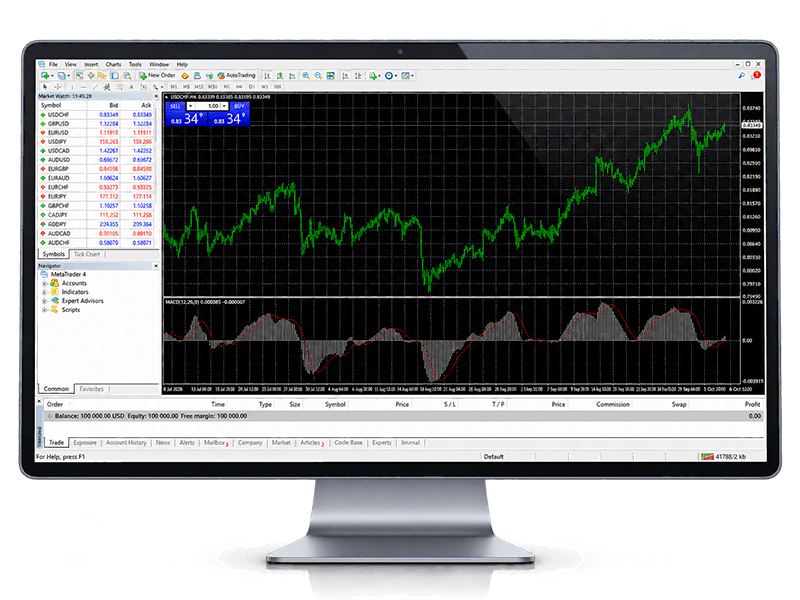
A familiar workspace built around forex trading.
MT4 combines market analysis, charting, trading tools and automation inside an established interface used by traders who prefer a traditional desktop-terminal workflow.
- Advanced charting and technical analysis
- Expert Advisors and automated strategies
- Custom indicators and workspace flexibility
- Flexible trading and order management
- Desktop-first trading environment
- Browser and mobile access options
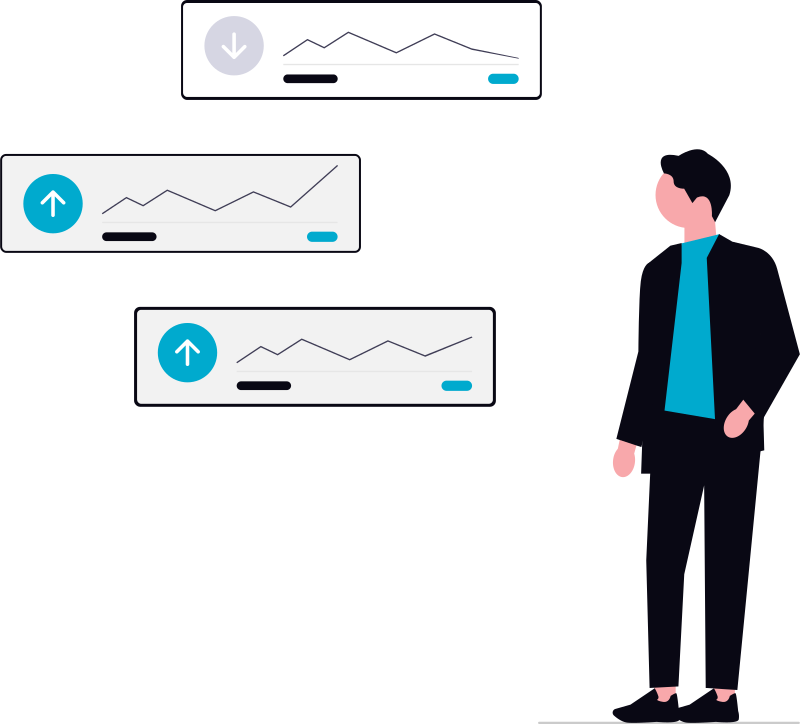
Everything stays visible in one familiar terminal.
Follow prices, work with charts, manage orders and keep trading activity within a single MetaTrader 4 workspace.
Access MT4 in the way that works for you.
Use the desktop terminal for the classic MT4 experience, trade through a browser when you need quick access, or keep up with your account from mobile.
Desktop
The full traditional MT4 workspace for charts, order management, indicators and Expert Advisors.
WebTrader
Access trading through a supported web browser without installing the desktop terminal.
Extend your workflow with Expert Advisors.
MetaTrader 4 supports MQL4-based Expert Advisors, custom indicators and scripts, giving traders a structured environment for automated and customized workflows.
- Use Expert Advisors for automated trading processes
- Work with custom indicators for analysis
- Build and test MQL4-based tools and strategies
Start with MetaTrader 4 in three steps.
Open your account
Create a real or demo FXGlory account depending on how you want to begin.
Access MetaTrader 4
Use the desktop terminal, browser-based access or a compatible mobile version.
Sign in and explore
Connect to your FXGlory trading account and become familiar with the MT4 workspace.
Looking for a different trading experience?
Explore the newer MetaTrader generation or switch to FXGlory's modern MegaTrader experience.
Common questions about MT4.
What is MetaTrader 4?
MetaTrader 4 is a forex trading platform that combines market analysis, charting, order management and support for Expert Advisors in one trading environment.
Can I use Expert Advisors with MT4?
Yes. MT4 supports MQL4-based Expert Advisors for automated analytical and trading processes.
Does MT4 support custom indicators?
Yes. Traders can use custom indicators alongside the platform's built-in charting and technical-analysis tools.
Can I access MetaTrader 4 through a browser?
FXGlory provides browser-based WebTrader access in addition to desktop and mobile MT4 options.
Is MT4 available on mobile?
Yes. MetaTrader 4 mobile access is available for compatible smartphones and tablets.
Where can I find FXGlory's MT4 setup guides?
FXGlory's Help Center includes guides covering installation, login, charts, indicators, orders, Expert Advisors and common MT4 troubleshooting topics.
Ready to trade with MetaTrader 4?
Open a demo account to explore the platform first, or create a real account when you're ready to continue.