
A modern trading workspace with practical tools built in.
Explore charts, performance analytics, market information, risk tools and advanced alerts in one browser-based trading environment.
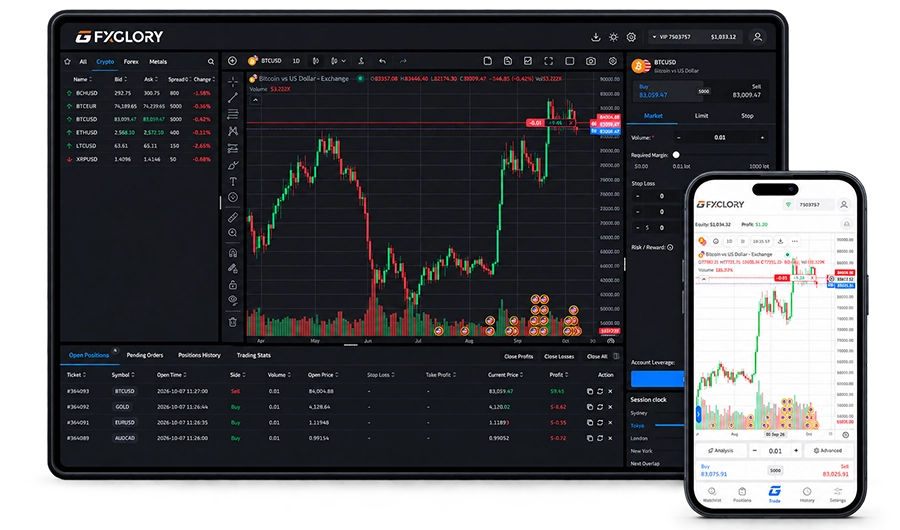
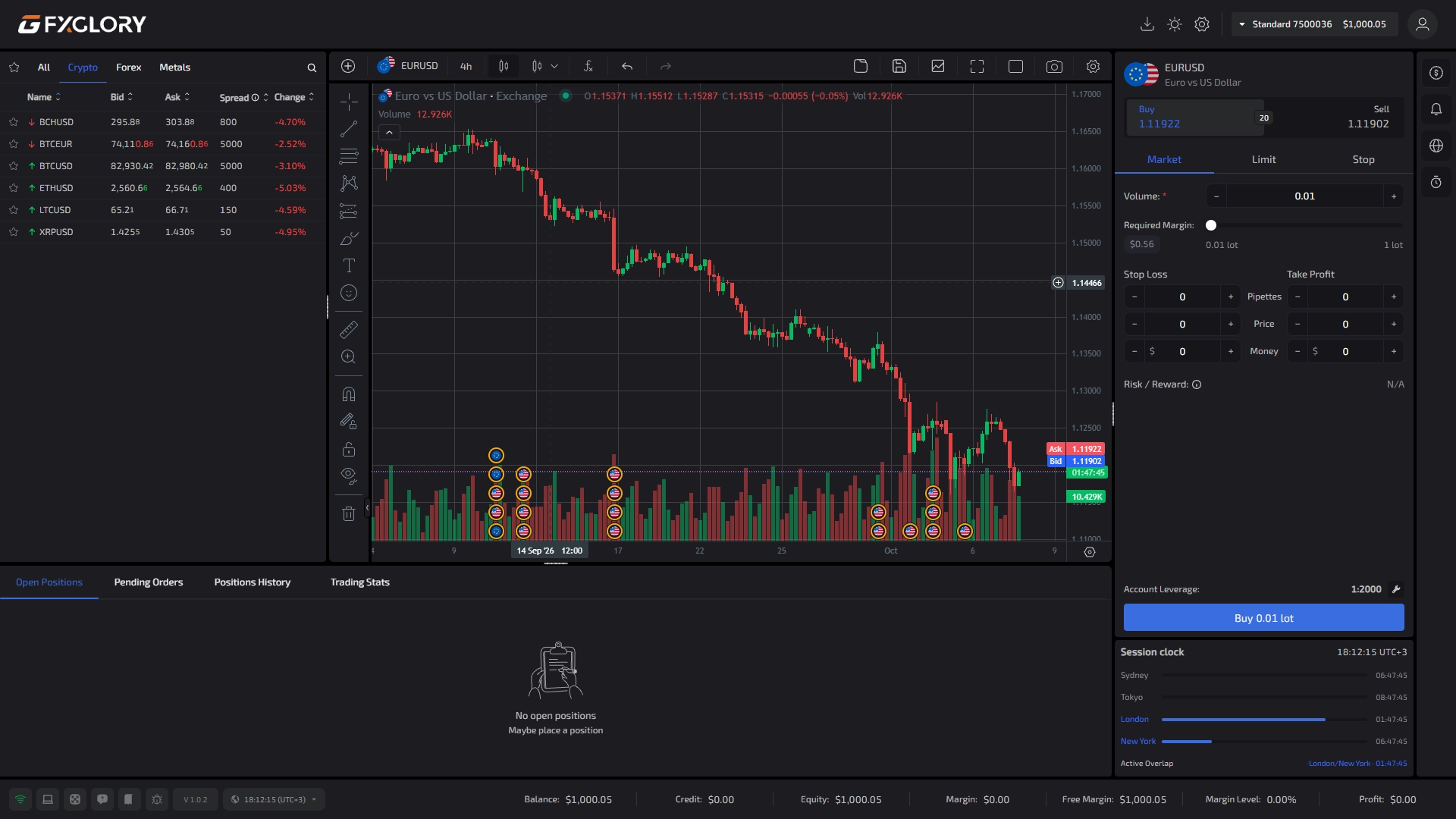
Explore the features inside the real MegaTrader interface.
Select a feature below to explore the MegaTrader interface. The screenshot updates to highlight the relevant area with a subtle blue hotspot, helping you discover how each feature works.
Enable JavaScript to explore all nine features. The first feature is shown below.
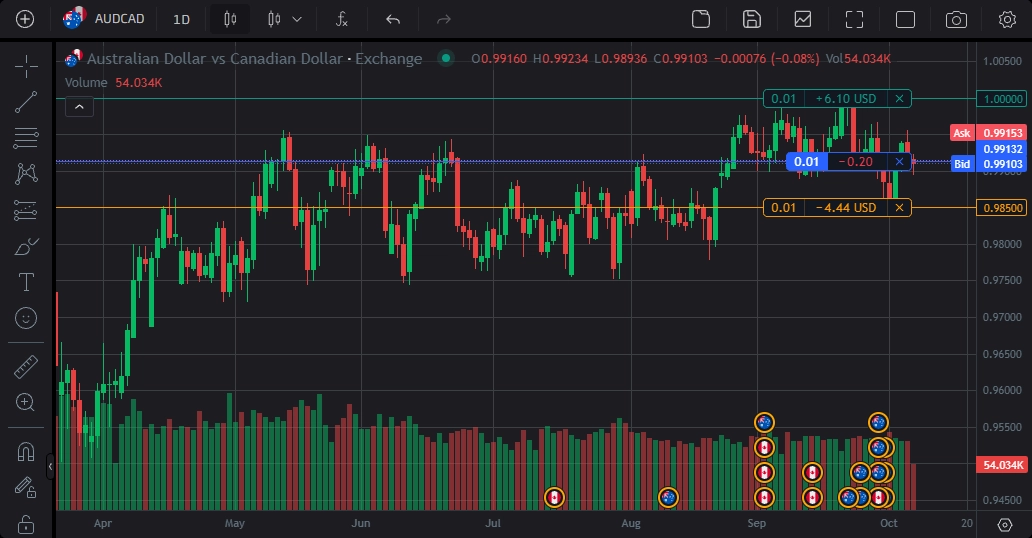
Screenshot unavailable. The feature details remain available below.
Trade Visualization on Chart
See trading activity directly on price action so the relationship between entry, stop loss, take profit and market movement is easier to review.
Set the condition once. Let MegaTrader monitor the market.
Create alerts around the market conditions that matter to you. MegaTrader can deliver notifications through the platform, email or webhooks while you are away from the chart.
- Crossing / Crossing Up / Down
- Greater Than / Less Than
- Entering / Exiting Channel
- Inside / Outside Channel
- Custom alert sounds
- Expiry dates
- In-app notifications
- Email / Webhook delivery

Keep useful trading context inside the terminal.
Practical tools for monitoring sessions, planning trades and following the market without unnecessary context switching.
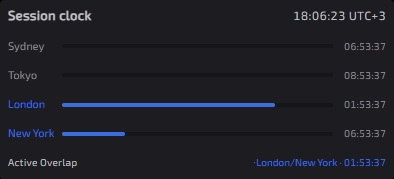
Track Sydney, Tokyo, London and New York, including active session overlap.
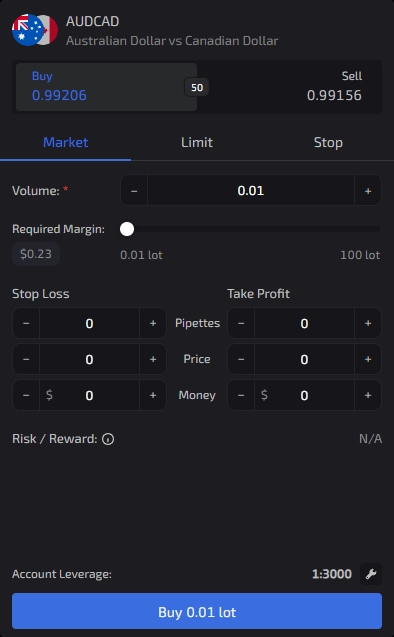
View required margin and structure stop loss, take profit and risk context before entry.
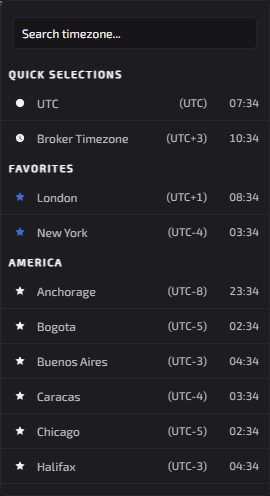
Keep time-sensitive platform information aligned with your preferred timezone.

Follow current market stories from inside the trading environment.
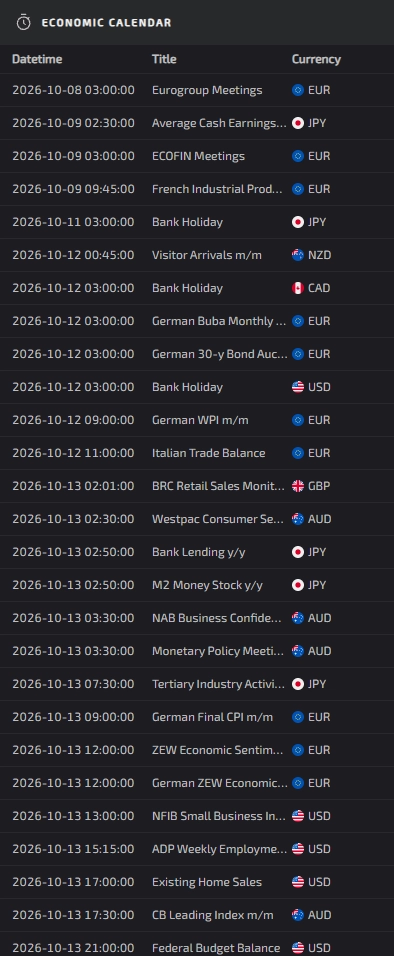
Keep upcoming economic events and currencies in view without leaving the terminal.
The easiest way to understand MegaTrader is to use it.
Open the guest terminal to explore the real trading environment, or continue directly to your FXGlory account.
Ready to continue with MegaTrader?
Open your FXGlory account or explore the guest terminal first.