
Best Laptop For Forex Trading: Quick Answer
There is no single best laptop for every forex trader. For many new purchases, 16GB RAM, an SSD, a current mid-range processor, a comfortable screen, reliable connectivity, and the right ports or dock support form a sensible recommended baseline. Light browser-only workflows may work on less, while multi-chart, multi-platform, multi-monitor, automation, or backtesting workflows may need more headroom.
Treat those specifications as practical buying guidance rather than universal platform requirements. Check the current requirements of the exact trading platform, operating system, plug-ins, indicators, and external-display setup before buying.
The fastest way to choose correctly is to start with workflow, not brand. Count the charts, platforms, monitors, browser tabs, journals, calendars, alerts, and backup tools used during a real session. Then choose specs that support that workflow without overpaying for gaming-style branding or features that do not improve the trading process.
View Forex Trading Laptop Buying Checklist
Best Laptop Buying Lane By Need
Choose the laptop lane before comparing brands. A trader who uses one browser platform and one screen does not need the same machine as a trader running several charts, multiple monitors, spreadsheets, alerts, and automation tools. The targets below are starting points for buying decisions, not guaranteed minimum requirements for every platform.
| Trading Need | Practical Starting Point | Good Fit When | Do Not Overpay For |
|---|---|---|---|
| Budget browser-based trading | Modern i5 or Ryzen 5 class processor, 16GB RAM where possible, SSD storage, comfortable 14-15.6 inch screen, stable Wi-Fi. | The trader uses a browser platform, a few charts, a journal, calendar checks, and one main screen. | Gaming graphics, trading-branded casing, huge storage, or premium extras that do not improve platform use. |
| Standard manual forex trading | Modern i5/i7 or Ryzen 5/7, 16GB RAM, 512GB SSD, good keyboard, clear display, reliable cooling. | The trader uses charts, watchlists, order tickets, journal notes, and several browser tabs during normal sessions. | An expensive workstation when the workflow is still manual and light. |
| Active charting and multi-app workflow | Stronger i7 or Ryzen 7 class processor, 32GB RAM, SSD storage, better thermals, larger or higher-quality screen. | The trader keeps multiple charts, alerts, journals, calculators, calendar tools, and research tabs open together. | Ultra-high refresh displays, RGB features, or a heavy gaming build when display support and cooling matter more. |
| Multi-monitor desk setup | 32GB RAM, strong CPU, verified external-display support, HDMI or USB-C video output, Thunderbolt or a proven dock where needed. | The trader wants a laptop connected to one, two, or more external monitors for charts, watchlists, account view, and journal review. | A laptop with many ports but weak display-output limits. Confirm monitor count, resolution, refresh rate, and dock behavior first. |
| Automation, Expert Advisors, or always-on workflow | Strong CPU and 16-32GB RAM for local testing, plus a serious VPS check for uptime, remote access, and running tools while the laptop is off. | The workflow depends on automated tools, remote access, or keeping a trading environment available without leaving the laptop on. | A laptop upgrade that tries to solve uptime, power, internet, or remote-access problems better handled by a VPS. |
| Travel or backup trading | Lightweight build, 16GB RAM, SSD, strong battery, reliable charger, hotspot plan, screen readability, and secure login setup. | The trader needs backup access, travel access, or a secondary device for checking positions and platform workflow. | A large, loud, heavy laptop that is difficult to carry and has poor battery life. |
Best Laptop Specs For Forex Trading
A forex trading laptop should support the work done around the trade: platform login, chart loading, order ticket use, stop-loss and take-profit modification, journal notes, economic-calendar checks, browser research, and monitor management. The targets below are practical buying guidance for common workflows, not permanent or universal platform requirements. Verify the current requirements of the software and operating system you plan to use.
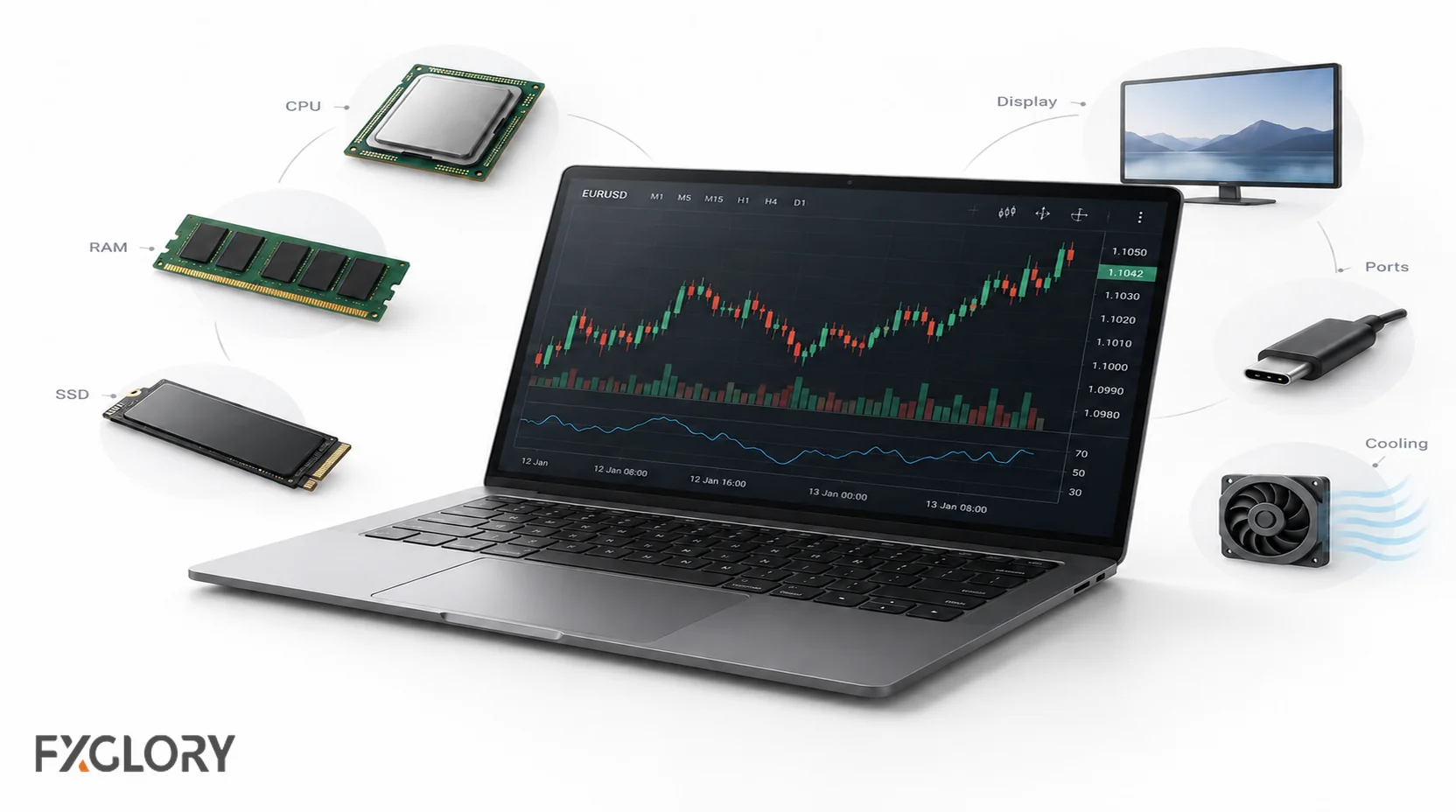
| Component | Practical Target | Why It Matters For Forex Trading | Buying Mistake To Avoid |
|---|---|---|---|
| Processor | A current mainstream processor, such as a recent Intel Core i5/Core Ultra 5-class or AMD Ryzen 5-class chip, is a practical starting point. Heavier multi-chart or backtesting workflows may benefit from a stronger current-generation CPU. | Keeps platforms, charts, browser tabs, and journals responsive during busy sessions. | Buying an old premium laptop with a weak or aging CPU because the brand looks good. |
| RAM | 16GB for most traders. 32GB for heavy multi-chart, multi-platform, multi-monitor, or automation/backtesting workflows. | Prevents slowdowns when charts, browser tabs, news, spreadsheets, and trading tools are open together. | Buying 8GB RAM for an active setup just because the laptop looks cheap. |
| Storage | SSD only. 512GB is a practical target for many traders; more is useful for large files, logs, screen recordings, or research storage. | Improves startup, platform loading, file access, and general responsiveness. | Overpaying for huge storage when the workflow is mostly browser-based and light. |
| Display | Comfortable 14-16 inch screen for laptop-only use; clear resolution, good brightness, and readable scaling. | Chart reading, order review, journal work, and risk checks become easier when text and candles are readable. | Choosing a tiny screen for a chart-heavy workflow or an oversized laptop when travel is the main need. |
| Graphics | Integrated graphics are enough for many traders. Dedicated graphics may help with several high-resolution monitors or heavy workloads. | Charts are usually not GPU-heavy, but multiple external displays can require stronger display support. | Paying for a gaming GPU when the trader uses one screen and a browser platform. |
| Ports And Docking | HDMI, USB-C with video support, Thunderbolt where needed, and a reliable dock plan for multi-monitor setups. | External monitors, Ethernet adapters, chargers, hubs, and backup devices depend on port planning. | Assuming every USB-C port supports video output or multiple monitors. |
| Cooling | Good thermals under real workload. Stronger cooling for active trading, many charts, and automation/backtesting. | Thermal throttling can make a strong laptop feel slow during long sessions. | Buying an ultra-thin premium laptop that overheats under the actual trading workload. |
| Battery And Power | Battery should handle a normal session, but serious trading should still have a charger and backup power plan. | Power loss during an open trade is a reliability problem, especially without a stop loss or backup device. | Treating battery life as a substitute for risk controls and platform backup access. |
Minimum And Recommended Laptop Specs For Forex Trading
The right spec level depends on how much the trader runs at the same time. Use the minimum column as a light-workflow floor and the recommended column as a more comfortable target for a new purchase. These are practical guidelines rather than official requirements; always verify the current requirements of the exact platform and operating system.
| Workflow | Minimum Practical Specs | Recommended Specs | Usually Overkill |
|---|---|---|---|
| Browser or WebTrader workflow | 8GB RAM, modern i5/Ryzen 5, SSD, stable browser, reliable Wi-Fi. | 16GB RAM, 512GB SSD, comfortable 14-16 inch screen, good battery. | Dedicated gaming GPU for simple browser charts. |
| Manual forex trading | 8-16GB RAM, modern CPU, SSD, clear display. | 16GB RAM, i5/i7 or Ryzen 5/7, 512GB SSD, comfortable keyboard and screen. | Workstation laptop for one platform and one screen. |
| Active multi-chart trading | 16GB RAM, good CPU, SSD, stable thermals. | 32GB RAM, i7/Ryzen 7, strong cooling, larger or external display. | Thin premium laptop with weak thermals just because it looks professional. |
| Scalping or day trading | 16GB RAM, SSD, stable connection, clear screen, fast wake-from-sleep. | 16-32GB RAM, strong CPU, good cooling, Ethernet or hotspot backup, clean order workflow. | Assuming hardware fixes overtrading, hesitation, or poor stop placement. |
| Multi-monitor desk setup | 16GB RAM, HDMI or USB-C video output, one external monitor confirmed. | 32GB RAM, Thunderbolt or USB-C dock support, verified display limits, stable dock behavior. | Buying extra monitors before confirming the laptop can drive them. |
| EA, automation, or backtesting | 16GB RAM, strong CPU, SSD, good cooling. | 32GB RAM, strong CPU, good thermals, and VPS considered for uptime needs. | Depending on a battery-only laptop for continuous automation. |
| Travel trader | 16GB RAM, SSD, strong battery, lightweight build. | 14-16 inch display, USB-C charging, hotspot backup, durable keyboard, good Wi-Fi. | Huge gaming laptop if portability is the main need. |
Best Laptop Type By Forex Trader Profile
A good laptop choice starts with trader profile. A complete beginner should not buy the same device as someone running several monitors, expert advisors, screen recording, multiple platforms, and a news workflow.
| Trader Profile | What Matters Most | Recommended Direction | What Not To Pay For | FXGlory Next Step |
|---|---|---|---|---|
| Complete beginner | Simple platform access, readable charts, stable browser, basic order practice. | Modern mid-range laptop, 16GB RAM, SSD, comfortable screen. | Expensive trading-branded workstation before learning order workflow. | Use an FXGlory demo account to test login, charts, and order placement. |
| Browser-based trader | Browser stability, screen comfort, RAM, Wi-Fi, battery. | 16GB RAM, SSD, modern browser, clean security settings. | High-end GPU if no heavy graphics workload exists. | Review FXGlory trading platforms and browser options. |
| Manual chart trader | Chart readability, platform responsiveness, journal access, clean workspace. | 16GB RAM, good CPU, 15-16 inch display or one external monitor. | Too many monitors before the process is organized. | Pair the setup with a written trading journal and risk plan. |
| Scalper or day trader | Fast order review, stable connection, external screen, cooling, backup access. | 16-32GB RAM, strong CPU, SSD, reliable Wi-Fi plus backup connection. | Thinking specs can replace discipline or stop-loss rules. | Review forex risk management before increasing trade frequency. |
| Swing trader | Comfortable research, charts, journal, battery, portability. | 16GB RAM, clear screen, long battery, enough storage for notes and screenshots. | Heavy gaming laptop if trading is not screen-intensive. | Use platform tests and chart review before live exposure. |
| Multi-monitor desk trader | External display support, dock reliability, cooling, RAM, cable planning. | 32GB RAM preferred, verified dock and monitor support, stable power setup. | Buying monitors before confirming laptop display-output limits. | Test monitor reconnect, order ticket visibility, and emergency access. |
| Automation or EA user | Uptime, stable power, cooling, platform reliability, remote access. | Strong CPU, 32GB RAM preferred, and VPS considered for continuous operation. | Running automation only from a laptop that sleeps, overheats, or loses Wi-Fi. | Compare the laptop plan with FXGlory's Free VPS Service. |
| Travel trader | Battery, weight, charger size, Wi-Fi, hotspot backup, screen comfort. | Light 14-16 inch laptop, 16GB RAM, SSD, USB-C charging where possible. | Oversized workstation if portability is the main reason to buy. | Test login and platform workflow on the actual travel connection when possible. |
Platform, Operating System, And FXGlory Fit
A laptop can have strong specs and still be a poor trading choice if the operating system, browser, platform, indicators, plug-ins, or remote-access workflow do not fit. Platform compatibility should be checked before price, color, or brand.
FXGlory offers access to downloadable, web-based, and mobile trading platform options. FXGlory's platform information also describes WebTrader as browser-based with no download required, standard browser access, pending orders, one-click functionality, and trade-history access through the web-based platform.
| Platform Use | Laptop Priority | Practical Check | Warning |
|---|---|---|---|
| FXGlory WebTrader or browser workflow | Browser stability, RAM, screen comfort, secure login workflow, reliable internet. | Open charts, order ticket, trade history, journal, economic calendar, and account tools in the browser used during trading. | Do not assume every browser extension, pop-up blocker, or security setting behaves the same. |
| GloryTrader Classic | Smooth browser access, chart readability, one-click order review, enough screen space. | Test watchlists, indicators, order entry, and trade management before relying on the laptop. | Simplicity still needs risk controls, stop planning, and backup access. |
| GloryTrader Pro | More workspace headroom, larger display or external monitor, reliable connection, strong CPU/RAM. | Check layout behavior with multiple panels, charts, watchlists, and market-depth views where used. | Advanced workspace features do not replace a controlled trading plan. |
| Downloaded platform or platform add-on | Operating-system support, enough RAM, SSD, stable updates, indicator and EA compatibility. | Install, update, open charts, add indicators, place demo orders, modify stops, and check logs before live use. | Some desktop software, plug-ins, or add-ons may behave differently on Windows and macOS. |
| Automation or remote trading | Uptime, power stability, cooling, remote access, VPS comparison. | Decide whether the process should run on a personal laptop or a VPS. | A laptop that sleeps, overheats, or loses internet is weak for continuous automation. |
Mac Vs Windows For Forex Trading
Both Mac and Windows laptops can be used for forex trading, but the better choice depends on platform requirements. Windows often gives broader compatibility for downloaded trading software, plug-ins, older tools, and some automation workflows. Mac can work well for browser-based trading, supported apps, research, journaling, and travel setups.
| Choice | Best For | Check Before Buying | Main Risk |
|---|---|---|---|
| Windows laptop | Downloaded platforms, plug-ins, EAs, multi-monitor desk setups, broad software compatibility. | Update control, driver stability, RAM, ports, cooling, and display-output support. | Forced updates or restarts during trading hours if settings are not managed. |
| MacBook | Browser-based workflow, research, journaling, portability, strong battery, clean display. | Exact platform support, external-monitor limits, browser behavior, and needed add-ons. | Buying before confirming the desktop platform or plug-in works on the chosen macOS setup. |
| Dual-device workflow | Traders who want one main computer and one emergency fallback device. | Login, 2FA, platform access, device lock, hotspot, and emergency order-review workflow. | Backup device is useless if it has never been tested. |
Multi-Monitor Forex Trading Setup
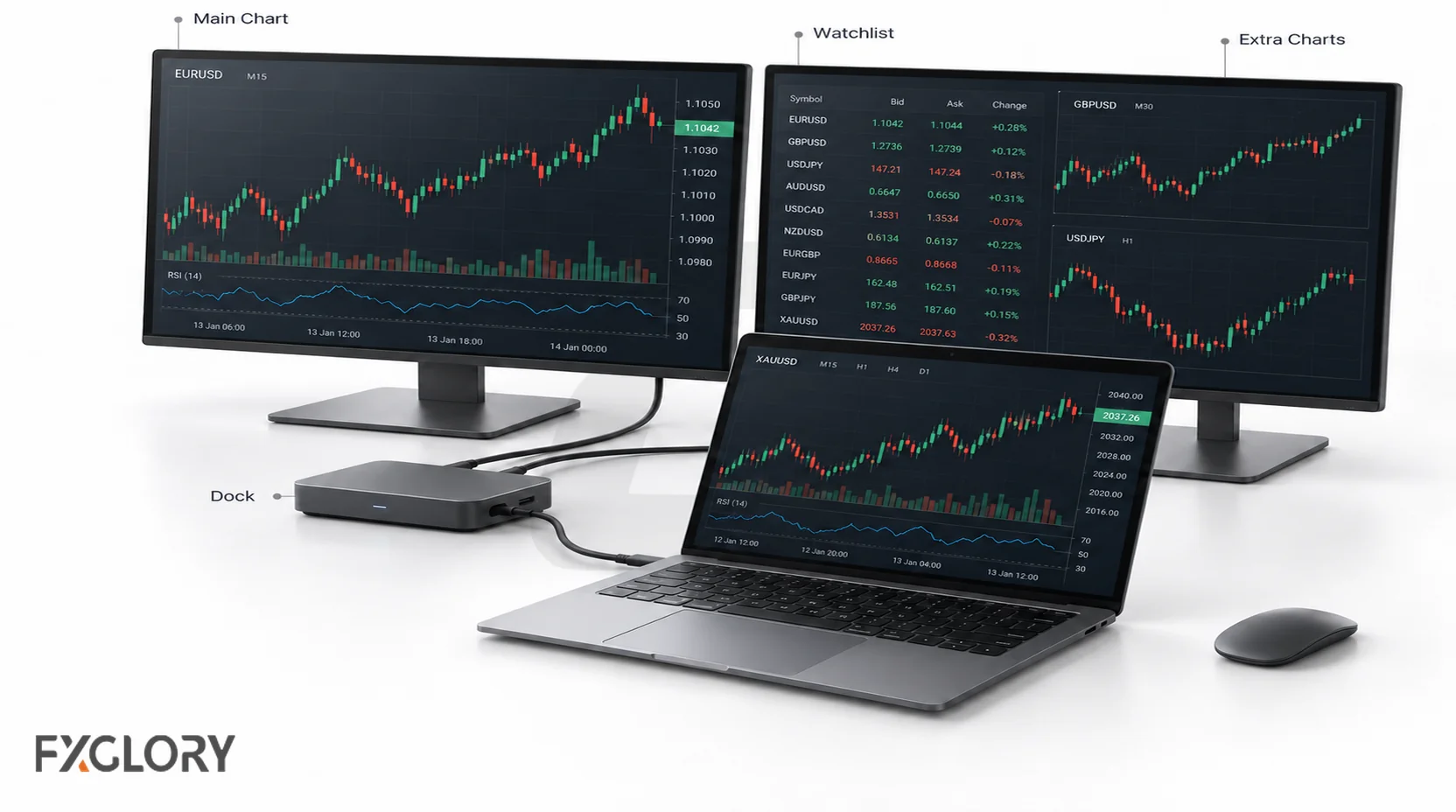
External monitors can make chart review and trade management easier, but only when the laptop actually supports the setup. The number of ports does not always equal the number of monitors a laptop can run. Display limits depend on the processor, graphics hardware, USB-C or Thunderbolt support, dock, operating system, and manufacturer specifications.
| Setup | Works Best For | Check Before Buying | Common Mistake |
|---|---|---|---|
| Laptop screen only | Beginners, travel traders, light browser workflow. | Screen size, brightness, scaling, keyboard comfort, battery. | Using a tiny screen for many charts and then making rushed decisions. |
| Laptop plus one external monitor | Manual traders who want one chart screen and one order/journal screen. | HDMI or USB-C video support, monitor resolution, refresh rate, cable type. | Buying the monitor before checking the laptop output. |
| Laptop plus two external monitors | Active chart traders, day traders, technical-analysis workflows. | Thunderbolt or USB-C dock support, display-output limits, power delivery, reconnect behavior. | Assuming every USB-C port supports video or multiple displays. |
| Docked multi-monitor station | Desk traders who want a stable trading workspace. | Dock compatibility, charger wattage, heat, cable layout, wake-from-sleep behavior. | Building a complex setup that is slow to recover after sleep, updates, or unplugging. |
| Travel plus desk hybrid | Traders who move between home, office, and travel setups. | USB-C charging, portable monitor support, hotspot backup, lightweight charger. | Having no fallback when hotel Wi-Fi, power, or dock behavior fails. |
For multi-monitor traders, the laptop should be tested with the actual monitors, dock, charger, browser, platform, and journal open at the same time. A setup that works for ten minutes in a store may still fail after sleep, updates, heat buildup, or reconnecting cables.
Gaming Laptop Vs Business Laptop For Forex Trading
A gaming laptop can be used for forex trading, but it is not automatically the best choice. Gaming laptops often provide strong CPUs, dedicated graphics, and cooling. They can also be heavy, loud, expensive, and weaker on battery life. Business laptops often offer better portability, keyboard comfort, battery reliability, docking support, and repair options.
| Laptop Type | Advantages | Trade-Offs | Best Fit |
|---|---|---|---|
| Business laptop | Reliable build, strong keyboard, docking options, better portability, professional support options. | May have weaker graphics and fewer high-performance cooling options. | Most manual traders, browser users, travel traders, and desk setups with one or two monitors. |
| Gaming laptop | Strong CPU/GPU options, cooling headroom, high-performance display choices. | Heavy, noisy, shorter battery life, expensive features that may not help trading. | Traders who also need heavy graphics workloads, many high-resolution monitors, or non-trading performance tasks. |
| Ultraportable laptop | Lightweight, strong battery, easy travel, clean screen. | May throttle under load, have fewer ports, and rely on dongles. | Travel traders and browser-based traders with light chart load. |
| Workstation laptop | High power, large RAM options, strong reliability options. | Expensive, heavy, usually unnecessary for simple forex workflow. | Heavy backtesting, automation development, data work, or professional multi-monitor setups. |
Laptop Features That Reduce Trading Disruptions
The best forex trading laptop is not just fast. It should help prevent avoidable disruptions. A laptop freeze, power issue, internet drop, failed login, or monitor problem can be more serious when a trade is open and the trader has no stop loss, backup device, or platform fallback.
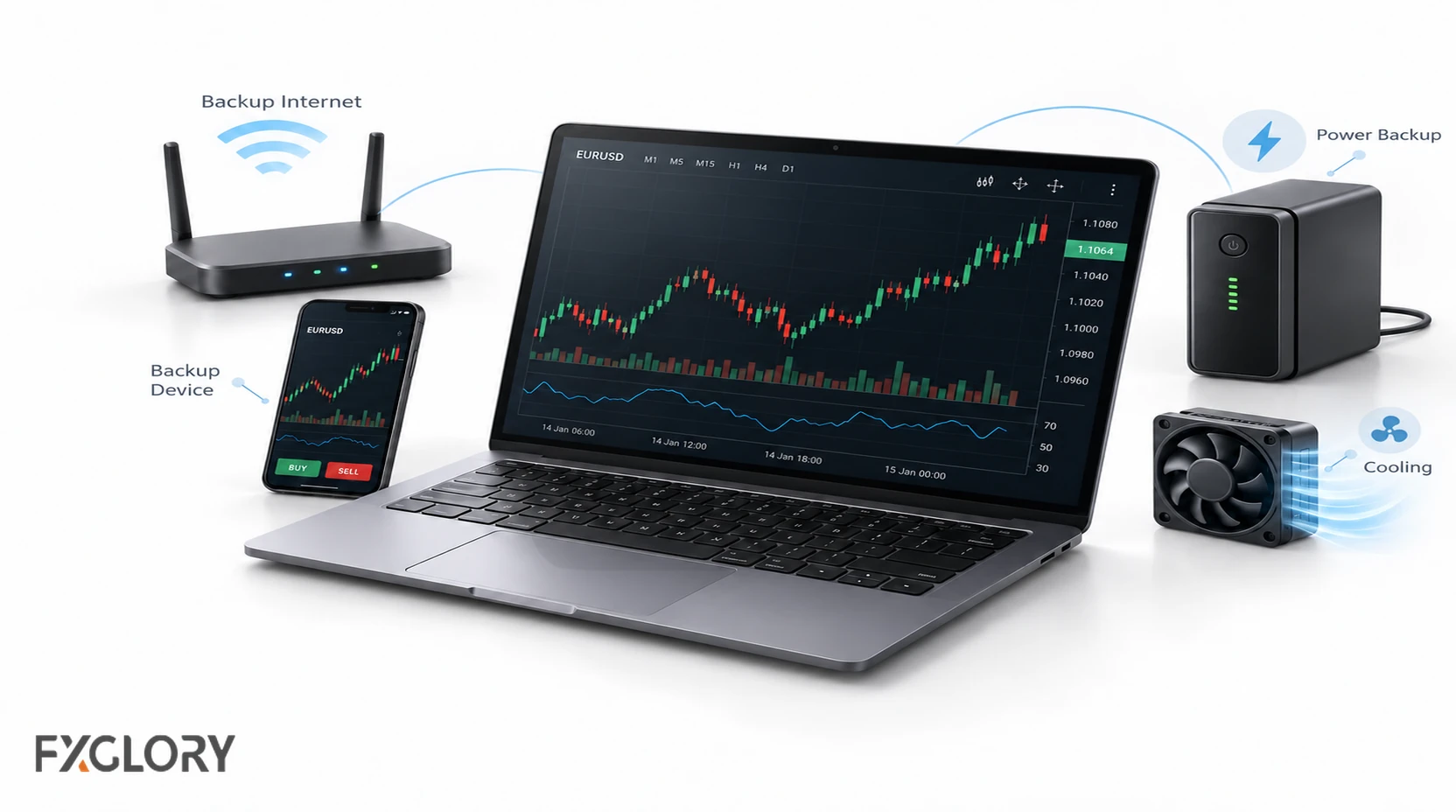
- Stable internet: Use reliable Wi-Fi and consider Ethernet or a mobile hotspot backup for important sessions.
- Power plan: Keep the charger available and test battery life under real chart/browser load.
- Update control: Manage operating-system and driver updates so they do not interrupt trading time.
- Backup access: Test a second device for emergency order review, login, and 2FA workflow.
- Security: Use device lock, password manager, secure browser behavior, and account-protection habits.
- Cooling: Test whether the laptop stays responsive after platforms, charts, browser tabs, and journals are open for a full session.
- Platform fallback: Know whether a browser platform, mobile app, or VPS workflow is available if the main laptop has a problem.
Reliability planning is especially important for traders using leverage. Review FXGlory's leverage conditions and margin calculator so hardware decisions stay connected to account-risk planning.
Laptop, Desktop, Or VPS?
A laptop is not always the best upgrade. Some traders need portability. Others need a stable desk setup. Automation users may need a VPS more than a stronger personal laptop.
| Option | Best For | Strength | Weakness | Use With FXGlory |
|---|---|---|---|---|
| Laptop | Manual traders, travel traders, flexible workspaces. | Portable and easy to use across locations. | Battery, heat, Wi-Fi, and monitor limits can matter. | Test browser, GloryTrader, downloaded-tool, and demo workflows before live use. |
| Desktop | Permanent multi-monitor desk setup. | Better cooling, upgrade options, full-size monitors, stable desk wiring. | Not portable; needs separate backup access. | Useful for chart-heavy manual trading and research routines. |
| VPS | Automation, EAs, remote access, uptime-sensitive workflows. | Can keep tools running without the personal computer staying on. | Does not replace strategy testing, risk rules, or monitoring discipline. | Review FXGlory's Free VPS Service when uptime matters. |
A stronger laptop is not always the best reliability upgrade. When the workflow depends on automation, remote access, or running tools while the laptop is off, compare the laptop purchase with a VPS workflow before spending money.
What Not To Overpay For
Forex trading can become expensive before the trader places a single trade if hardware decisions are driven by fear, branding, or excitement. Spend on workflow problems that actually exist, not on features that look impressive but do not improve the process.
- Extreme GPU: Usually unnecessary for one platform, one browser, and simple charting.
- Flashy gaming design: RGB lighting and aggressive branding do not improve order review, risk control, or discipline.
- Huge storage: Useful for large data files or recordings, but not essential for a light browser workflow.
- Ultra-high refresh screen: Nice to have, but not required for reading candles and managing orders.
- Trading-laptop label: A product name does not prove better reliability, thermals, warranty, display support, or value.
- Extra monitors too early: More screens can create more distraction if the process is not organized.
- Fear-based upgrades: Do not buy a new laptop because one losing trade felt technical when the real issue was risk, leverage, or emotion.
Forex Laptop Readiness Flow
Follow this flow before relying on a laptop for live forex trading. The goal is not to buy the most powerful machine. The goal is to confirm that the full trading workflow works without avoidable technical friction.
| Step | Check | Pass Condition |
|---|---|---|
| 1. Laptop | CPU, RAM, SSD, cooling, battery, screen comfort, and startup speed. | The laptop stays responsive with the normal chart, browser, platform, and account-workflow tabs open. |
| 2. Platform | Browser access, GloryTrader workflow, downloaded tools, login process, watchlists, charts, order ticket, and account review screens. | Charts load smoothly, instruments can be reviewed, test orders can be placed, positions can be modified, and history can be checked without lag. |
| 3. Monitor Setup | Laptop screen, external monitor, dock, HDMI, USB-C, resolution, reconnect behavior, and sleep/restart behavior. | All screens reconnect correctly after restart, sleep, unplugging the dock, and switching between mobile and desk setups. |
| 4. Internet And Power Backup | Main Wi-Fi, hotspot, router power, charger access, second-device access, and emergency login process. | The trader knows exactly how to review or manage an open position if Wi-Fi, battery, dock, or the main laptop fails. |
| 5. Demo Test | Full practice session using the same platform, chart layout, account workflow, monitor setup, and internet connection planned for real trading. | The setup handles chart review, order entry, order modification, exit review, and trade journaling without disruption. |
Before You Buy: Practical Test Plan
Before buying a laptop for forex trading, run a realistic demo workflow on the current device or a candidate laptop whenever possible. The goal is to test the actual trading environment, not only read spec sheets.
- Open the full workspace: Platform, charts, economic calendar, browser tabs, journal, spreadsheet, email or notification tools, and any risk calculator used during trading.
- Run the normal chart load: Use the number of pairs, timeframes, indicators, and layouts planned for a real session.
- Test order workflow in demo: Place, modify, and close demo orders. Review stop loss, take profit, order ticket visibility, and trade-history access.
- Check monitor behavior: Connect the external monitors and dock, then test wake-from-sleep, reconnect, unplug, and restart behavior.
- Watch heat and noise: Let the setup run long enough to see whether performance drops.
- Test backup access: Confirm a second device, browser fallback, mobile hotspot, and 2FA process work before relying on the setup.
- Write the final decision: Buy, keep looking, or delay. Include the exact problem the purchase solves.
The Forex Trading Laptop Buying Checklist includes a candidate comparison scorecard and demo test log for this process.
Final Laptop Buying Checklist
Use a final checklist before purchasing. The best laptop for trading forex is the one that supports the trader's platform, chart load, monitor setup, backup access, and risk workflow without encouraging unnecessary spending.
| Check | Pass Standard |
|---|---|
| Workflow defined | Trader knows charts, platforms, tabs, monitors, journal, and backup tools needed. |
| RAM chosen | RAM matches the workload; use the minimum/recommended table above rather than buying extra memory by default. |
| CPU chosen | Processor performance matches the platform load, number of apps, and any automation or backtesting work. |
| SSD confirmed | SSD included; practical storage target selected. |
| Screen comfort checked | Charts, order ticket, and journal are readable without strain. |
| Platform compatibility confirmed | Browser, GloryTrader, downloaded tools, add-ons, and any required trading tools are tested or verified. |
| Monitor support verified | Manufacturer specs confirm external-display limits, dock support, and port behavior. |
| Cooling checked | Laptop stays responsive during a realistic session. |
| Power and internet backup planned | Charger, hotspot, Ethernet option, and emergency device are considered. |
| Demo test completed | Order placement, stop modification, close workflow, and trade-history review work smoothly. |
| Risk tools remembered | Margin, leverage, stop loss, position size, and account risk stay part of the workflow. |
| Upgrade reason written | Purchase solves a real problem, not fear, excitement, or branding pressure. |
Next Steps After Choosing A Laptop
After choosing a laptop, do not move straight into live exposure just because the setup feels faster. First test platform login, charts, order ticket, stop-loss and take-profit modification, account history, journal workflow, monitor behavior, and backup access in a demo environment.
Use FXGlory's demo account to check the trading workflow before real-money trading. Then review trading platforms, leverage conditions, and the Risk Disclosure so the technical setup stays connected to real trading risk.
A laptop can make trading tools easier to use. It cannot decide when to trade, how much to risk, where to place a stop, or when to stop trading. Keep the hardware decision practical and make the trading process controlled.