
The newer MetaTrader generation for a broader trading workflow.
MetaTrader 5 brings advanced charting, flexible market analysis, automated trading tools and a modern MetaTrader environment across desktop, web and mobile access.
Use MT5 when you prefer the newer MetaTrader interface, broader analytical tooling and a more modern workflow than MT4.
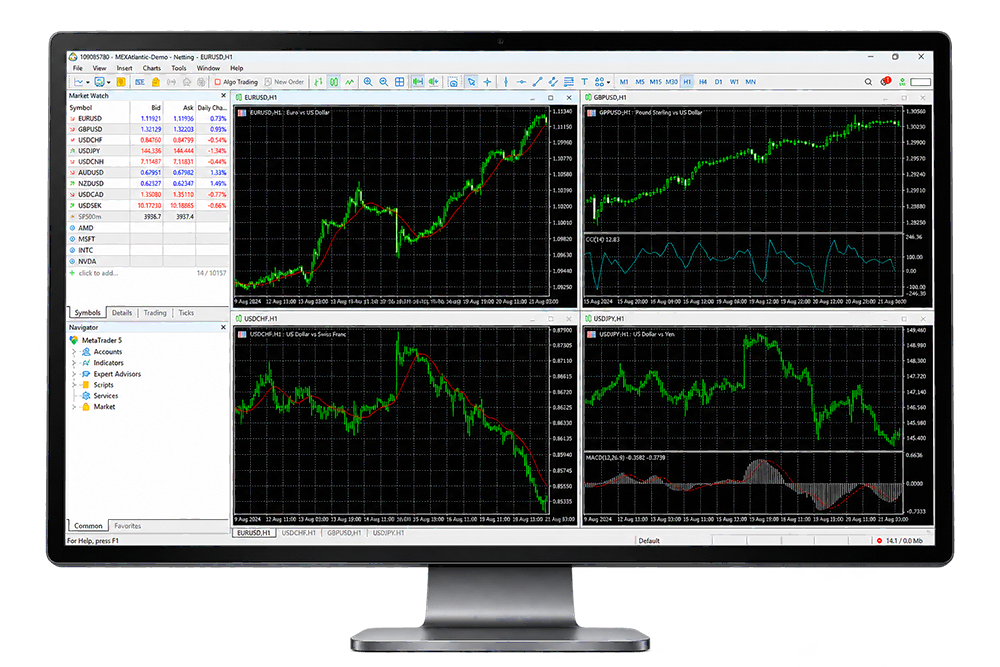
A more detailed environment for technical analysis.
MT5 expands the MetaTrader workflow with a broader analytical environment for traders who want more flexibility when reading, comparing and monitoring market movement.
-
Advanced charting Work across multiple chart views and analytical layouts.
-
Technical tools Apply indicators and customize the workspace around your analysis.
-
Market monitoring Keep instruments, charts and trading activity visible in one workspace.
More tools inside the familiar MetaTrader structure.
MT5 keeps the MetaTrader workflow recognizable while giving traders a broader set of tools for analysis, execution and automation.
Technical analysis
Build a charting workspace around the indicators and market views that matter to your trading process.
Market depth
Work with additional market information designed to support more detailed trade decision-making.
Order management
Manage trading activity through a modern MetaTrader terminal with flexible order controls.
Expert Advisors
Extend the platform with automated strategies and other MetaTrader-compatible trading tools.
Custom tools
Work with custom indicators, scripts and automated workflows through the MT5 ecosystem.
Cross-device access
Move between desktop, browser and mobile access depending on how and where you trade.
Keep market movement and trading context in view.
MT5 brings quotes, chart analysis and trading activity together in one workspace, helping you monitor market movement without losing the wider trading context.
- Market Watch and live price monitoring
- Flexible order and position management
- Integrated charting and technical analysis
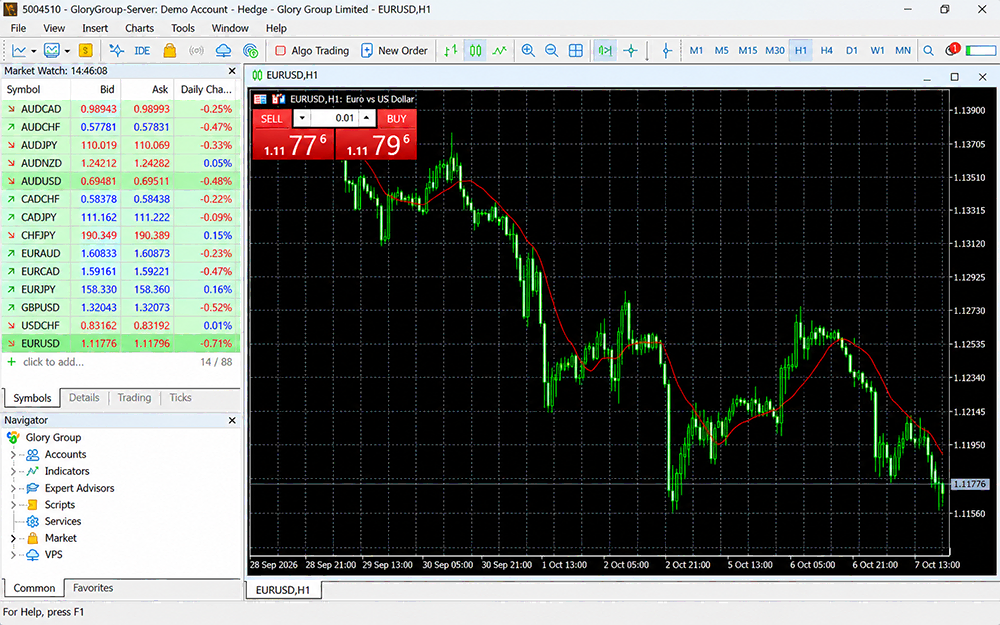
A broader MetaTrader workspace, still built around clarity.
Keep charts, instruments, market information and active trading tools organized inside one modern MetaTrader environment.
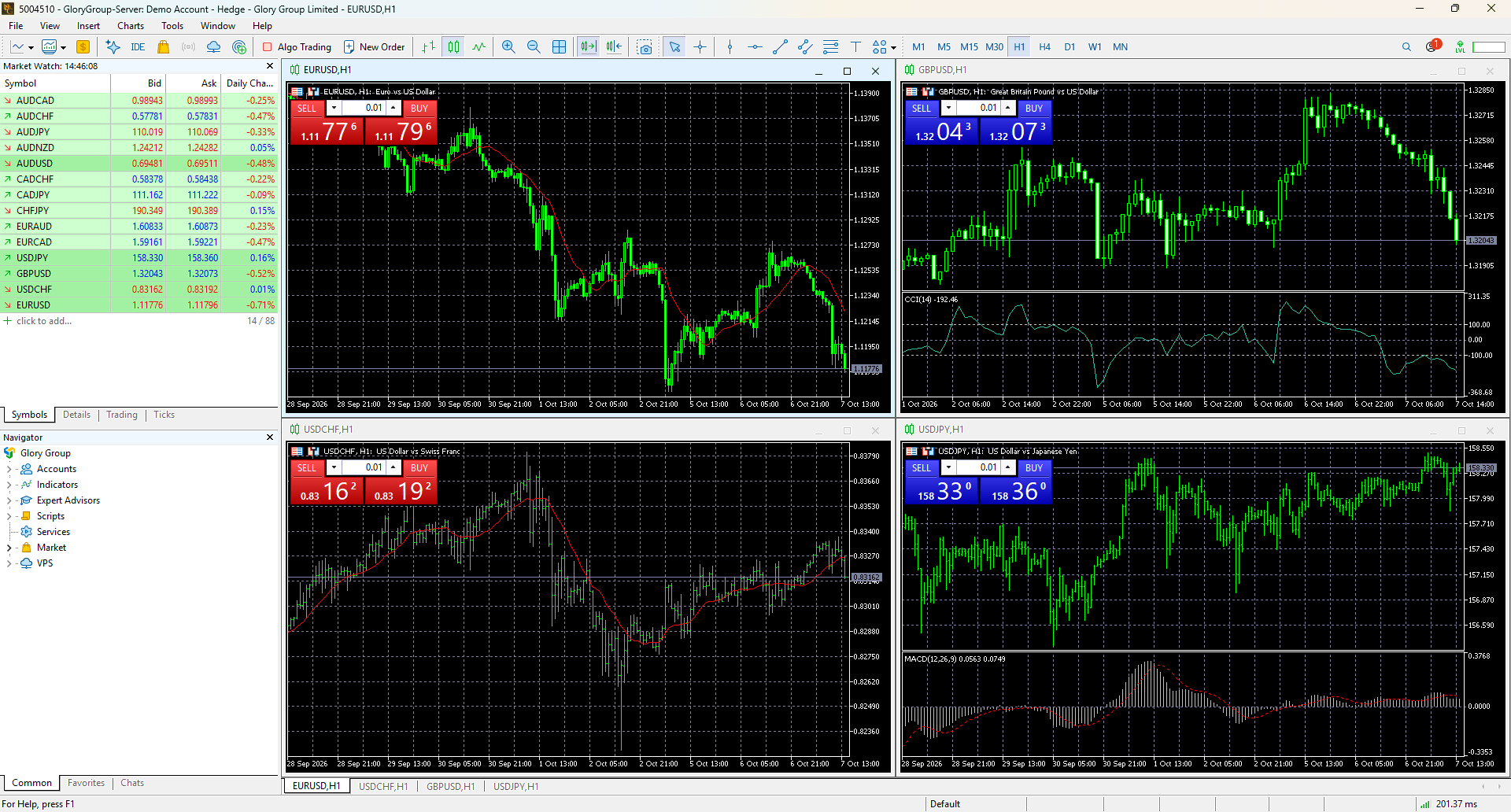
Access MT5 across your devices.
Move between desktop, browser and mobile depending on the way you prefer to monitor and manage your trading account.
Build a more advanced workflow with Expert Advisors.
MT5 supports automated trading through Expert Advisors, custom indicators and other tools within the modern MetaTrader ecosystem.
- Expert Advisors
- Custom indicators
- Scripts and tools
- Automated workflows

Start with MetaTrader 5 in three steps.
Open your account
Create a real or demo FXGlory account depending on how you want to begin.
Access MetaTrader 5
Use MT5 on desktop, through a supported browser, or from a compatible mobile device.
Sign in and explore
Connect your FXGlory account and become familiar with the MT5 workspace and tools.
Looking for a different trading experience?
Choose the familiar MT4 workflow or explore FXGlory's modern Mega Trader platform.
Common questions about MT5.
What is MetaTrader 5?
MetaTrader 5 is the newer generation of the MetaTrader platform, designed for charting, market analysis, order management and automated trading in a modern trading environment.
What is the main difference between MT5 and MT4?
MT5 uses the newer MetaTrader environment and provides a broader analytical and trading workflow, while MT4 remains the more established forex-focused platform many traders already know.
Can I use Expert Advisors with MT5?
Yes. MT5 supports Expert Advisors and other automated tools within the MetaTrader ecosystem.
Can I use MT5 through a browser?
MT5 can be accessed through supported browser-based trading alongside desktop and mobile options.
Is MetaTrader 5 available on mobile?
Yes. MT5 mobile access is available for compatible mobile devices.
Which platform should I choose: MT4 or MT5?
Choose MT5 if you prefer the newer MetaTrader environment and a broader analytical workflow. Choose MT4 if you prefer its established interface and already rely on the MT4 ecosystem.
Ready to explore MetaTrader 5?
Open a demo account to become familiar with the MT5 workflow, or create a real account when you're ready to continue.